Synology RS1221+ Noctua Fan Swap
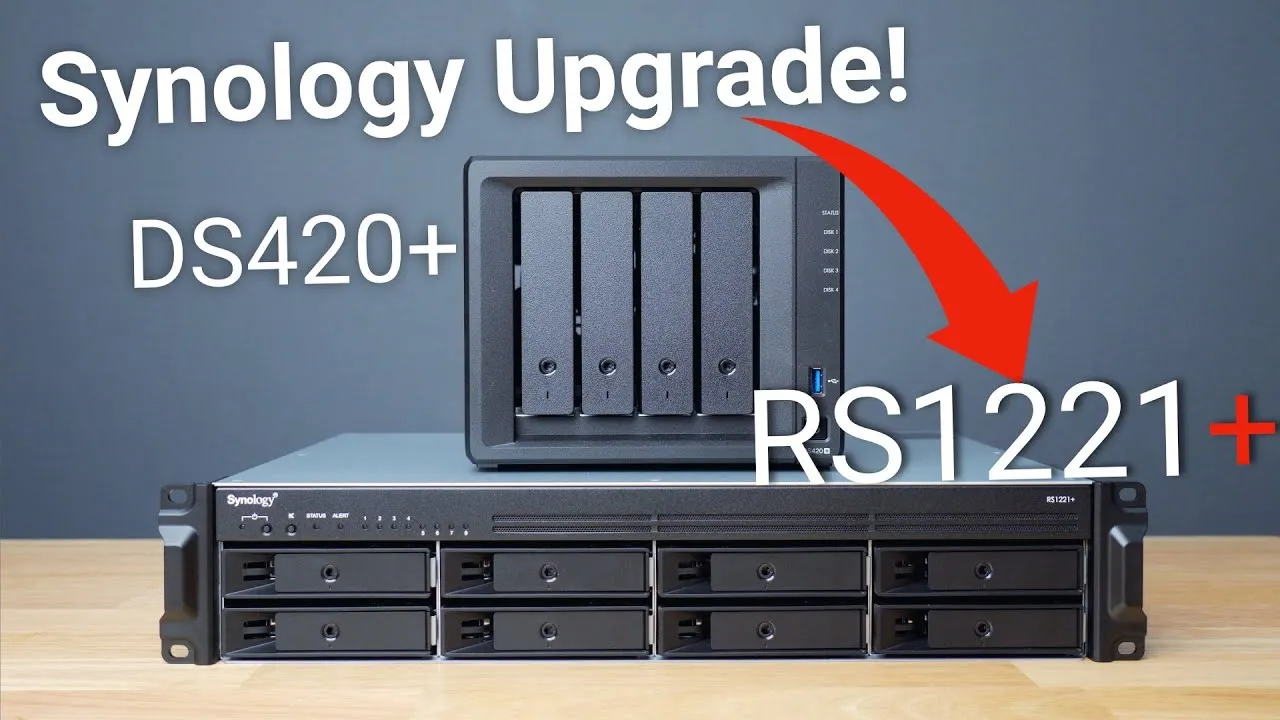
I’m really enjoying my Synology RS1221+: a rack-mount NAS with a short depth that fits my closet rack, with eight bays that can extend to 12, just what I need for file storage and backups. Since migrating a couple of weeks ago, I’ve had no issues; it’s fast enough, has room to expand, and sits mostly out of the way in my master bedroom closet. My one complaint is fan noise. I expected it to be loud for a rack-mount unit, and I don’t hear it during the day, but I hear it from my bedroom, and I don’t want to keep the closet door closed. So I swapped the fans for hopefully quieter Noctua fans.
Thanks to a Reddit post about changing the RS1221’s fans (linked in the description), and a comment from Dwn2Clwn, I ordered 80 mm Noctua NF-A8 PWM fans. A note: any modification like this could affect your warranty, so proceed at your own risk. My closet is temperature controlled, has little equipment, and I don’t push the NAS hard, so I’m not worried about a slight temperature increase from lower airflow.
Baseline measurements
- Room noise without the NAS: about 34 dB (as my Apple Watch hears it).
- With stock fans in quiet mode: about 50 dB.
- Temperatures under load (a Windows 10 VM running a disk speed test, Plex streaming to my iPhone and a backup, all at once, with fans in quiet mode): CPU about 40°C, and my IronWolf 6 TB drives about 30°C.
The swap
With the NAS off, remove the eight screws on top and open the case: you’ll see both fans at the back. One fan’s cable runs under a piece of tape and then up and around; the other comes up from the bottom and plugs into the motherboard. It’s a simple swap: a couple of screws on the back, pop the old fans out, unroute the cable, route the new one in. I routed the cords away from the fans and taped one down like the original.
When I powered it on, there was a buzzing: the power supply fan was hitting a cable. I fixed it by undoing the tape and routing the wire twice through it.
Results
- Right away, the fans were quieter, and after a few seconds, almost inaudible.
- Noise in quiet mode: about 37 dB, versus the room’s 34 to 35 dB: a huge improvement over the stock fans.
- Temperatures in quiet mode: drives about 32 to 34°C (three to four degrees higher than before) and the CPU about 61°C (up from 40°C), which may concern some.
- Cool mode: only a slight increase in noise. I could hear the hard drives churning, which I couldn’t hear at all over the stock fans (which were super loud in quiet mode, and insane in cool and full speed).
- Full speed mode: about 45 dB, still quieter than the stock fans in quiet mode. After a few minutes, the CPU came down to about 50°C.
It’s a pretty simple process. Some people may worry about the higher CPU and drive temperatures, but my rack room is temperature controlled and I won’t push the device often. Are you planning this for your 1221+ or another Synology, and is there a fan with more airflow that’s still quieter than stock? If you’re curious how I migrated from a DS420+ to the 1221+ while keeping my data, see my video on that.
Links
- If this was helpful I have a tip jar
- Reddit Article Mentioned
- Noctua NF-A8 Fan
- IronWolf NAS drives
- 32GB Memory Upgrade for Synology
- Synology RS1221+
- Synology DS420+
- My Rack UPS
- My 8U rack
- 16 port switch
- Patch Panel
- EERO
- Buy the 2020 iMac
- Bamboo Monitor Stand
- Samsung X5 Thunderbolt SSD
- OWC 32 GB Kit (2x16GB) for 2019-2020 iMac
- Twelve South Backpack for iMac
- Satechi Aluminum iMac Data Hub
- Samsung QVO 4TB SSD
- Cable Matters USB-C 3.1 Enclosure
- MX Master 3 Mouse
- Satechi Magnetic Charger 2-in-1
- MacBook Pro M1
- Samsung UR55 28” display
- MountUP Monitor Arm
- BenQ ScreenBar
- Kanto Yu2 Speakers Matte Gray
- CalDigit SOHO
- CalDigit TS3
- Apple Magic keyboard
- Apple Magic Trackpad
- MX Master 3 Mouse
- Desk Mat Moko PU Leather
- Sony A6400
- Primary Lens Sigma f1.4 16mm
- Secondary Lens Sony f2.8 16-55MM G
- Sennheiser MKH-416 mic
- Zoom F6 recorder
- Rode VideoMic NTG
- iPad Pro 12.9
- Used DJI OSMO 3 Gimbal for some shots
- Tascam DR-10L Audio Recorder with Lav
Some links in this post are affiliate links, which means that if you click on one of the product links, I may receive a small commission. See my ethics statement.