This 80Gb/s SSD Enclosure is awesome! USB4 2.0 - Thunderbolt 5 speed
This is the new OWC Express 1M2, an updated version of the external enclosure that now runs at 80 Gb/s with USB4, which is Thunderbolt 5 speed. I got the empty version, so I can put in whatever SSD I want.
Price and why it’s USB4
Empty, it’s $219; with 8 TB inside from OWC it’s $1,290. It isn’t Intel Thunderbolt-certified, even though it uses the same JHL9480 Thunderbolt 5 chip as other devices, but it meets the USB4 80 Gb/s spec. It looks basically identical to the 40 Gb version, with an added button on the back to dim the front LED. In the box: a USB4 80 Gb/s cable (not labeled Thunderbolt 5), a screwdriver, and spare rubber feet.
Building it
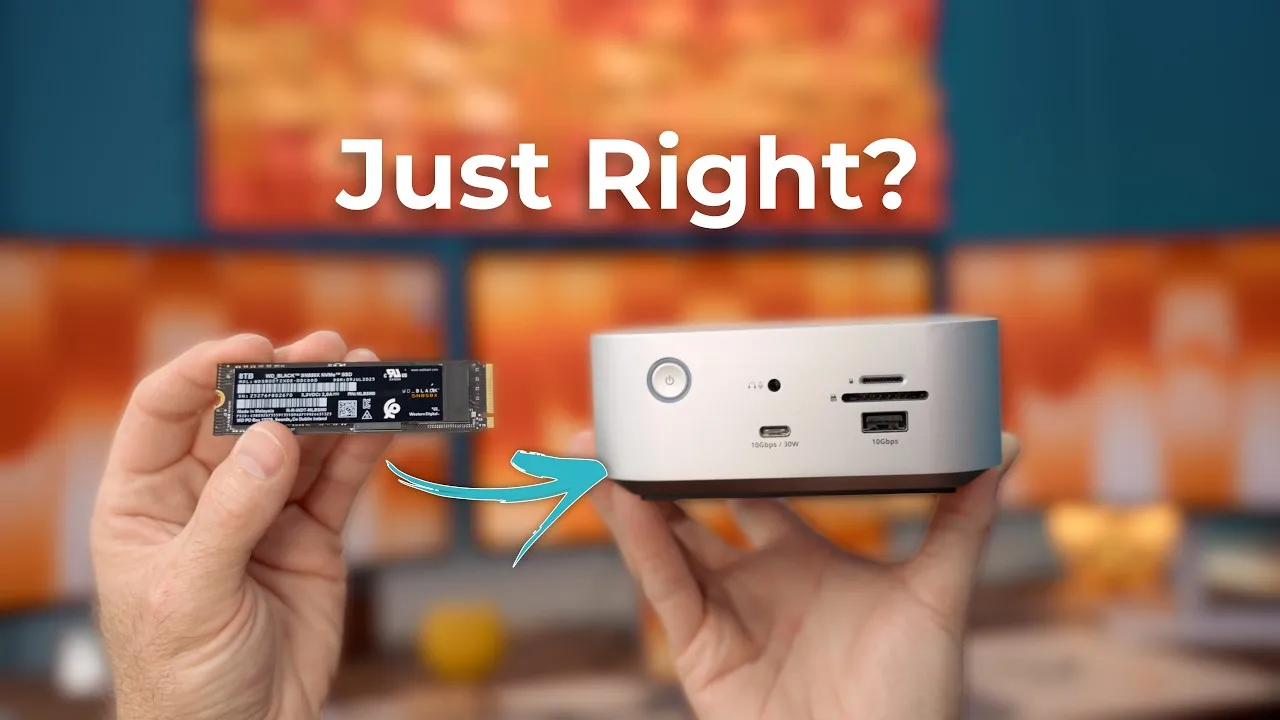
Two screws on the bottom open it up. Inside is the M.2 slot, which takes multiple sizes, and thermal pads tied to a massive heat sink. I used an 8 TB Western Digital Black SN850X, which runs $699 by itself, so about $900 total. That’s well under OWC’s own 8 TB configuration. Interestingly, OWC’s 4 TB Envoy Ultra Thunderbolt 5 drive is only $499, cheaper than this enclosure with OWC’s 4 TB SSD, but in my earlier testing that drive’s SLC cache was limited. With an enclosure, you choose the SSD.
Speed
Blackmagic Disk Speed Test, connected to my M4 Max MacBook Pro: just under 6,000 MB/s write and about 5,500 MB/s read. Pretty impressive from an external enclosure.
That speed isn’t sustainable across the whole drive. SSDs have a fast portion they write to first, then move data to slower storage later. If you write a huge amount at once and fill the fast part, speed drops. To test that, I ran AJA System Test Lite writing 4 TB continuously and watched iostat for 15 minutes.
- SN850X in the OWC 80 Gb enclosure: about 5,500 MB/s for about six and a half minutes, then about 2,500 MB/s for a minute, then a little over 1,200 MB/s for most of the rest. Just over 2 TB at full speed and 2.8 TB written in total.
- OWC Envoy Ultra 4 TB: about 4,800 MB/s for roughly 10 seconds (around 70 GB), then 1,600–1,700 MB/s. 1.5 TB total.
- Samsung 990 Pro in that Thunderbolt 5 enclosure: about 5,800 MB/s for 31 seconds (around 200 GB), then 1,800–2,000. 1.8 TB total.
A 2 TB cache is very impressive. When are you writing more than two terabytes at once? Heat stayed lower than I expected, around 108 °F, thanks to that giant heat sink.
What it tells us
80 Gb/s enclosures, USB4 or Thunderbolt 5, can be stupid fast, but how long that speed lasts depends on the SSD inside, and probably on heat. Buying the enclosure and adding your own SSD can save a lot of money. For most workflows, cache size won’t matter much, because you rarely write hundreds of gigabytes at once.
I’m not sure I’d recommend this to most people. I’d probably recommend the 40 Gb version, about $95, plus an SSD for a couple hundred dollars: under $300 for a fast, high-capacity drive for backups or basically any workflow. But if you want the absolute fastest, this is the fastest combination I’ve found for the most data transfer at the longest sustained speed.
Links
- OWC Express 1M2 80G
- OWC Express 1M2 40G
- WD Black SN850X
- OWC Envoy Ultra
- Cheap 5K vs Apple Studio Display
- The Everyday Mac Display - BENQ MA270U
In this video
- 00:00 Intro: OWC Express 1M2 Overview
- 00:08 USB4 vs Thunderbolt 5 Explained
- 00:29 Pricing: Base Enclosure & SSD Options
- 01:00 Side-by-Side Comparison (40Gbps vs 80Gbps)
- 01:08 External Design & Features
- 01:23 Box Contents
- 01:46 Opening the Enclosure & Adding SSD
- 02:09 Installing the WD Black SN850X 8TB
- 02:20 DIY vs Prebuilt Pricing
- 02:58 SSD Compatibility & Customization
- 03:14 Connecting to MacBook Pro M4 Max
- 03:24 Formatting Drive for Testing
- 03:38 Blackmagic Speed Test Results
- 04:04 Explaining Sustainable vs Burst Speeds
- 04:32 AJA System Test Setup
- 05:18 Sustained Write Test Results (15 min)
- 06:01 Performance Comparison with Other Drives
- 06:56 Total Data Written Comparison
- 07:22 Summary of Best SSD Performance
- 07:36 Final Thoughts on 80Gbps USB4 Performance
- 08:04 Is It Worth It? Budget vs Speed Decision
- 08:28 Who Should Consider the 40Gbps Version
- 09:00 Conclusion & Viewer Call-To-Action
Some links in this post are affiliate links, which means that if you click on one of the product links, I may receive a small commission. See my ethics statement.