1 month later: Surface Laptop 7 with Snapdragon X Elite
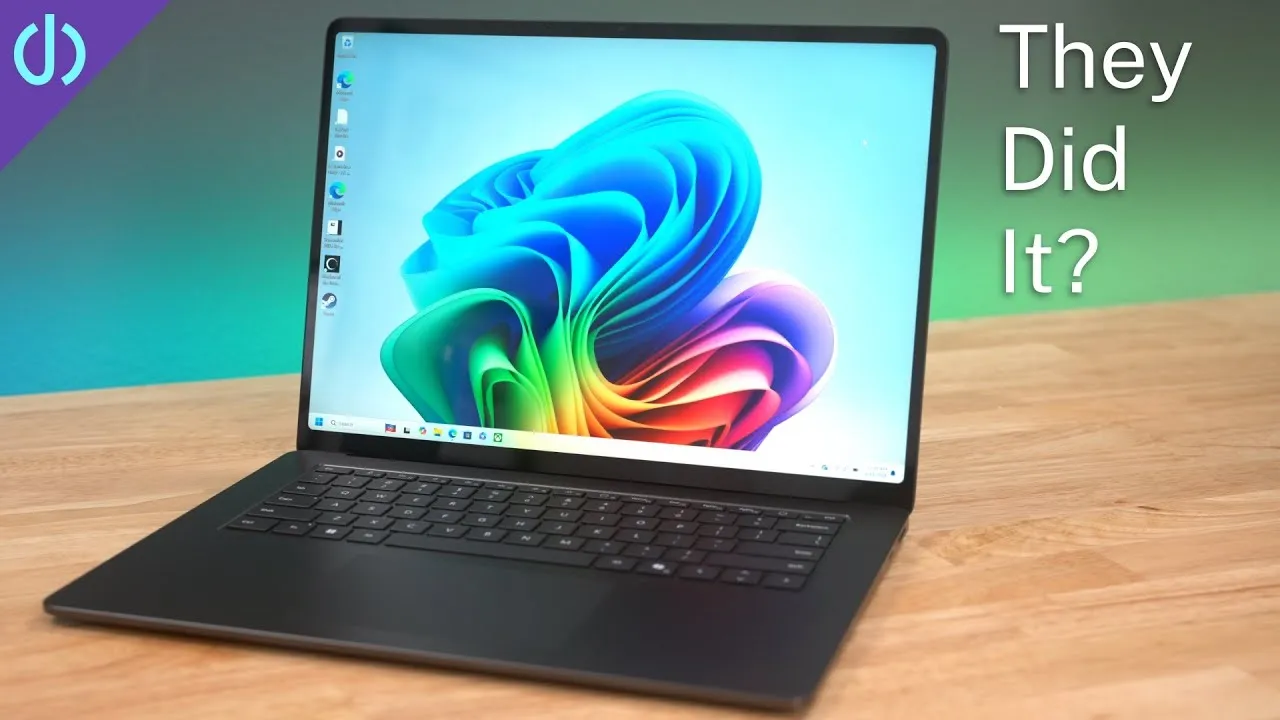
I spent the last month with the new 15-inch Microsoft Surface Laptop 7, and honestly, it’s everything I’ve wanted from a Windows laptop for a long time: performance, battery life, design and even the trackpad. The new processor may not suit every app yet, but for everyday use, this laptop rocks.
How I use it
This isn’t my video editing, Blender or giant-photo machine. It’s a productivity machine, like my MacBook Air: lots of web browsing, my day job’s office apps and web apps, logging into servers and Citrix remote apps, email, social, and video. It’s my take-to-the-office laptop and work-from-couch companion.
These Snapdragon machines are new, and apps aren’t updated for high-performance work yet. For that, you may still want an Intel or AMD PC. I knew that when I bought it.
Specs and price
The Snapdragon X Elite X1E-80-100: 12 cores at 3.4 GHz (up to 4 GHz), a 45 TOPS NPU, and an Adreno GPU. Mine has 16 GB and a user-replaceable 512 GB SSD for $1,499; 256 GB is $1,299, and it goes up to 64 GB and 1 TB.
Ports
On the left: a headphone jack, USB-A, and two USB4 USB-C ports. They’re not Thunderbolt, but you still get 40 Gb/s for SSDs, docks and displays; you just can’t use external GPUs. On the right of the 15-inch: the Surface Connect port and a microSD slot (I’d prefer full-size SD). People complain about the proprietary charger, but I never use it; I’d rather travel with one USB-C charger for everything.
UGREEN sponsored this video, with its Nexode Pro 65 W ultra-slim charger.
Design
All Surface Laptops are aluminum now, no more Alcantara. Probably the right choice, but I liked how warm Alcantara felt. The 13-inch comes in Sapphire, Dune, Platinum and Black, but the 15-inch only Platinum and Black. My black one has been surprisingly good at hiding fingerprints; I didn’t even wipe it before filming. Dust and prints wipe off easily with a microfiber cloth.
The bezels are finally thinner, with a bigger top bezel that felt weird at first, but like the MacBook notch, you stop noticing. I’ve owned five Surfaces, and I think Microsoft makes the best-designed PC laptop hardware, closest to a Mac’s.
One miss: there’s nothing to help you open the lid, no finger cutout or lip, so I basically always need two hands.
Keyboard and trackpad
The keyboard is similar to Apple’s Magic Keyboard in layout and travel, just a bit mushier. Switching back and forth, I make a few more mistakes, but I’d adjust quickly.
I love the haptic trackpad, the first on a Surface Laptop and the best I’ve used on Windows, period. It doesn’t physically move, but the click feels real and works anywhere, unlike those stupid diving-board trackpads. It’s not as big as a MacBook Air’s but has plenty of room for gestures. Two issues I expect Microsoft to fix: the pointer sometimes skips past where I aimed, and occasional false clicks, like a YouTube video pausing when I hover without touching the trackpad.
Display
A 15-inch, 201 ppi, 3:2 display at up to 600 nits with about 90% of P3, 120 Hz variable refresh, and touch. I love being able to reach up and flick the screen from the couch; I wish Apple would consider it. Contrast is a bit lacking for video, and the camera picks up some unevenness. The big issue is reflectivity: it’s a glare magnet, so position it carefully.
It supports three external displays plus the built-in one. It was buggy at first with a USB4 dock, but after some plugging and settings changes, they all stayed up, even through a reboot.
Camera and AI
The camera looks okay for a laptop, a bit warm. There’s automatic framing that follows you, subtle portrait lighting, background blur, and a freaky eye-contact effect that makes you look at the camera even when you’re looking elsewhere.
Don’t buy this laptop for AI right now. Image Creator and Cocreator in Paint are cool, I guess (my handstanding monkey came out deformed). Copilot is just a chatbot that can’t change settings or do anything on the computer. Live captions with translation are pretty cool for foreign-language video, but oddly don’t work when the sound is muted. Recall, the biggest AI feature, was pulled at the last minute over privacy concerns.
Windows Hello, speakers
Windows Hello is mostly fast and accurate, but sometimes struggles to recognize me. Lately I think fingerprint readers may be the way to go on laptops. The speakers get loud but lack low end; they’re one of the better PC laptop speakers, just not my favorite.
Performance and battery
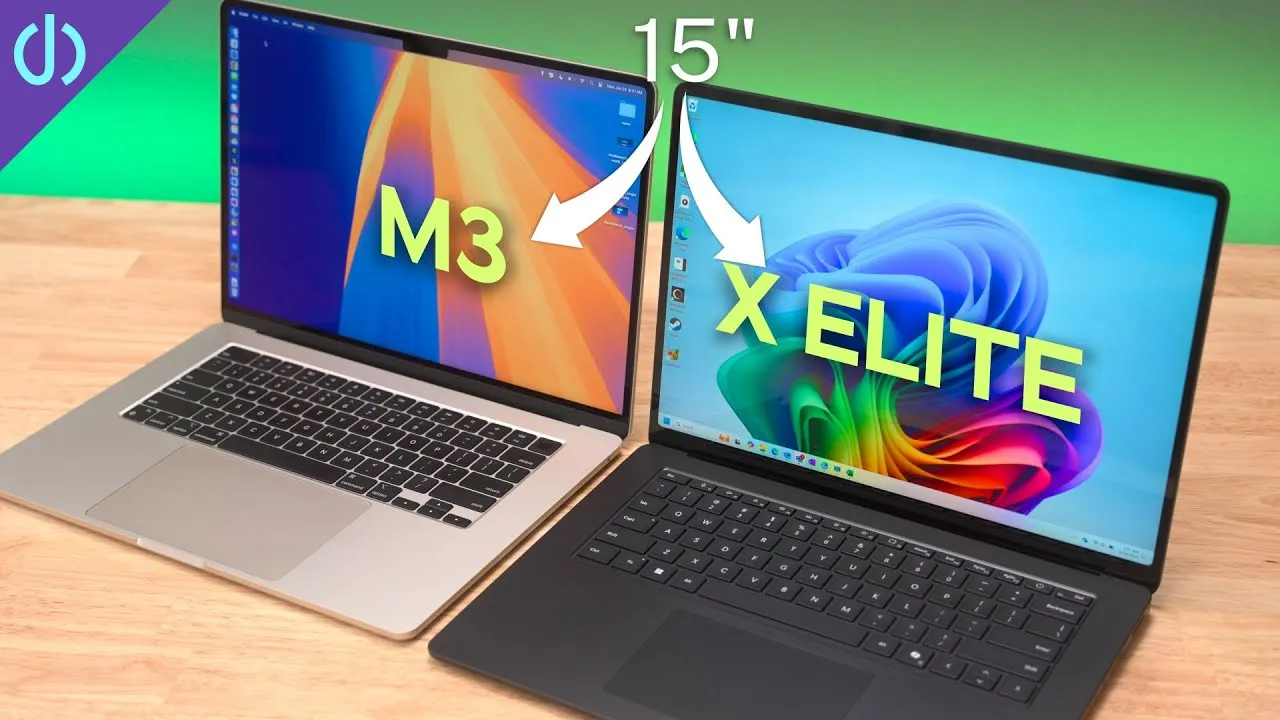
Compared with the M3 MacBook Air: the MacBook is faster in single-core, but the Surface can be up to 50% faster in multi-core with 12 cores to the M3’s 8. In graphics, the M3 generally wins, like 73% faster in 3DMark Steel Nomad.
None of that matters for how I use it. It feels way faster and more responsive than any PC laptop I’ve used, and I’ve used them a long time (I’m Microsoft certified and work on servers). With my work apps and 30 browser tabs, it never gets hot and the fans are never audible. And the battery lasts from 7:30 a.m. to about 5 p.m. with around 30% left. I could never do that with an Intel laptop.
Many apps run fine through Microsoft’s Prism translation even when not optimized, but some, like Google Drive, won’t install yet. That’s more limiting than Rosetta 2 was on the first Apple silicon Macs. But for apps that work, it runs basically flawlessly.
Verdict
A great productivity machine that finally matches some of the benefits of Apple’s laptops. Updates to Windows, apps and graphics drivers may unlock more of its potential.
Links
- Ugreen Nexode Pro 65W Ultra-Slim Charger(20% OFF)
- Ugreen Nexode Power Bank 25,000 mAh 145W (33% OFF)
- Ugreen Prime Day Deals, Up to 41% OFF(7/16-7/21)
- Get the 15” Surface Laptop
- Get the 13” Surface Laptop
- 15” Surface Laptop 7 X Elite vs 15” MacBook Air M3
- CalDigit is my dock partner
- https://www.threads.net/@jerryschulzeonyt
- My iPhone Art
- Grovemade Desk Mat and Knife (save 10% JERRY10)
- UNLIMITED Cloud Backup for your Mac with Backblaze
In this video
Some links in this post are affiliate links, which means that if you click on one of the product links, I may receive a small commission. See my ethics statement.