Good for Mac? Satechi Thunderbolt 4 Multimedia Pro Dock Review
Today I’m looking at Satechi’s new Thunderbolt 4 Multimedia Pro Dock, for Mac and Windows, with 16 ports including Ethernet, display and USB.
Unboxing
A pretty large dock. In the box: an information booklet, a roughly 1-meter Thunderbolt 4 cable, a 135 W power adapter, and a stand so you can use it vertically or horizontally.
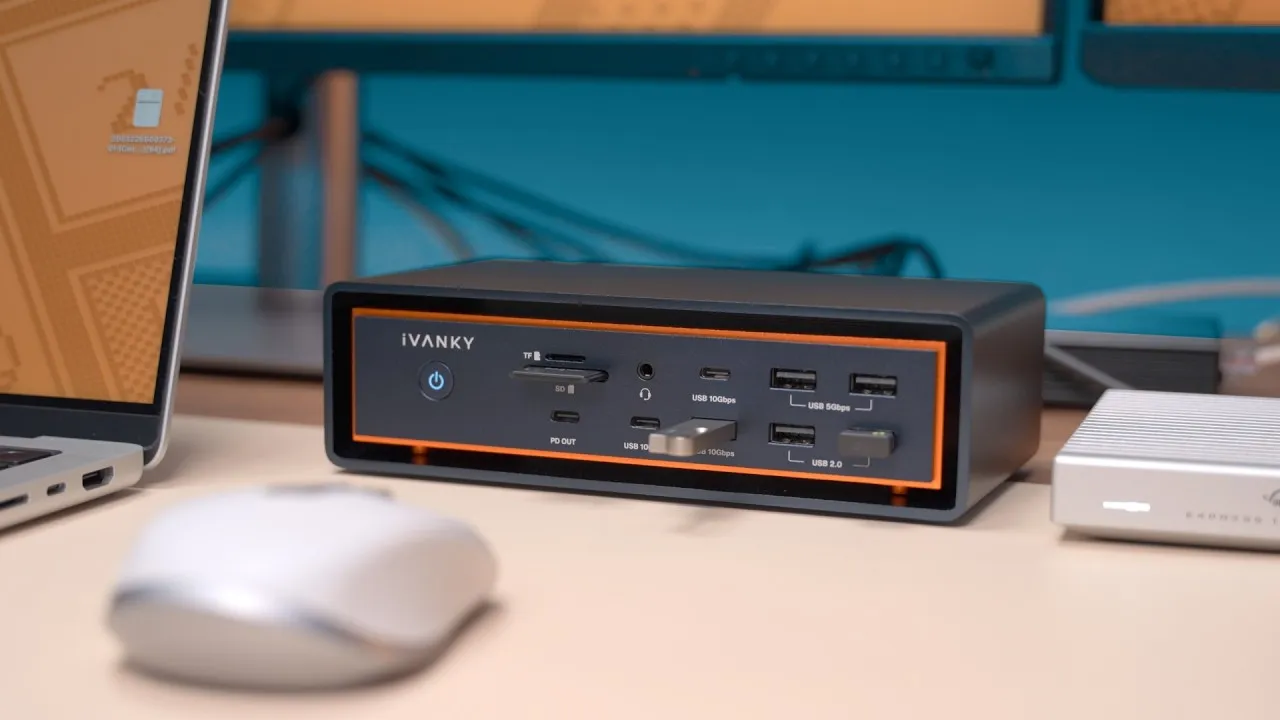
Front: two SD card slots (regular and micro), a 10 Gb/s USB 3.2 port, a USB 2.0 port, audio in and out, the front host port, and a power button. The USB-A has a power icon: up to 7.5 W, enough for charging an iPhone.
Back: power in, two video groups (each with DisplayPort and HDMI), 2.5 Gb/s Ethernet, a 10 Gb/s USB-C port, two 10 Gb/s USB-A ports, and two 5 Gb/s USB-A ports.
It’s dark space gray aluminum with plastic and rubber pads, similar to other docks, not overly heavy for its size, and it looks okay. But there are no additional Thunderbolt ports, front or back. So it can’t pass through Thunderbolt to another Thunderbolt device or connect really fast Thunderbolt SSDs or 10 GbE cards. Most of the Thunderbolt bandwidth goes to those four display outputs.
Displays
How many displays you can use depends on your computer:
- M1 or M2 MacBook: one external display, on either DisplayPort or HDMI in one video group.
- M1 Pro/Max or M2 Pro/Max: two displays, one in each group (one HDMI and one DisplayPort, but not both on the same group unless you mirror).
- Windows: up to four displays, if your computer supports MST (multi-stream transport), though with a laptop you can’t use all four plus the laptop’s display.
All ports are limited to 4K 60, so no high-refresh displays or 6K/8K.
I tested two 4K displays with my M2 Max MacBook Pro, nothing connected to the computer but the dock. I connected the host port, allowed the accessory, and both displays came up in about 7–8 seconds, giving me all three displays. There was no lag, because they’re connected directly through Thunderbolt with no DisplayLink emulating video cards. Two of the 16 ports (the extra display outputs) aren’t usable on a Mac.
SD cards and storage
I checked both SD card readers at the same time, since some docks can only use one: the full-size SD and the micro SD both mounted. I like the micro slot’s spring-lock, which feels better than the MacBook Pro’s slot, which feels like grinding the card in.
A USB4 NVMe SSD I’ve seen hit about 2,500 MB/s can’t get near that here, limited to the dock’s 10 Gb/s USB. I got about 900 MB/s write and 725 MB/s read in Blackmagic, which is about right for a 10 Gb/s drive, so no speed lost.
Power button: pressing it disconnects connected drives and monitors, and everything returns to the built-in display. Turning it back on brings the monitors back in 8–10 seconds. The host port provides up to 96 W according to Satechi; my MacBook showed 98 W, plenty for a MacBook Pro or Air.
Is it worth it?
It depends on your needs. In my limited experience, it has things I can’t use and lacks things I want:
- On a Mac, I can only use two extra displays, with no DisplayLink to go beyond that.
- There are two extra display connections I can’t use.
- No Thunderbolt, so no really fast storage, which I want.
- But I like the 2.5 Gb/s Ethernet, which I use daily, since even Wi-Fi 6E isn’t as reliable as wired, and I have a 10 Gb connection at home.
If you run Windows, your computer can handle more than two displays, and you want fast Ethernet and a couple of USB ports, it’s probably a pretty good dock. If you run a Mac and use Thunderbolt accessories, it may not be the best dock for you. Would you like me to compare it with the CalDigit TS4?
Links
- best thunderbolt docks for Mac
- Get the Satechi Dock
- Get the TS4
- Get the OWC
- Grovemade Desk Mat and Knife (save 10% JERRY10)
- https://twitter.com/jerryschulze
- https://www.threads.net/@jerryschulzeonyt
- https://mastodon.world/@jerryschulze
- https://bsky.app/profile/jerryschulze.bsky.social
- My iPhone Art
- UNLIMITED Cloud Backup for your Mac with Backblaze
- Best Laptop
- Best iPad
- Mac Studio
- Studio Display
- Bamboo Monitor Stand
- Synology NAS
- RocketQ NVME SSD
- ACASIS NVME enclosure
- OWC Envoy Pro FX SSD
- CalDigit TS4
- Logitech MX Keys Mini
- Apple Magic Trackpad
- Logitech MX Master 3
- AirPods Max
- AirPods Max Stand (ETSY)
- Kanto YU2 Speakers
- Satechi Magnetic Charger 2-in-1
- My Camera
- Secondary Lens
- Sennheiser MKH-416 mic
- Zoom F6 recorder
- Rode VideoMic NTG
- Used DJI OSMO 3 Gimbal for some shots
- Tascam DR-10L Audio Recorder with Lav
In this video
Some links in this post are affiliate links, which means that if you click on one of the product links, I may receive a small commission. See my ethics statement.