Logitech Combo Touch Keyboard Case for iPad Pro with M1 2021
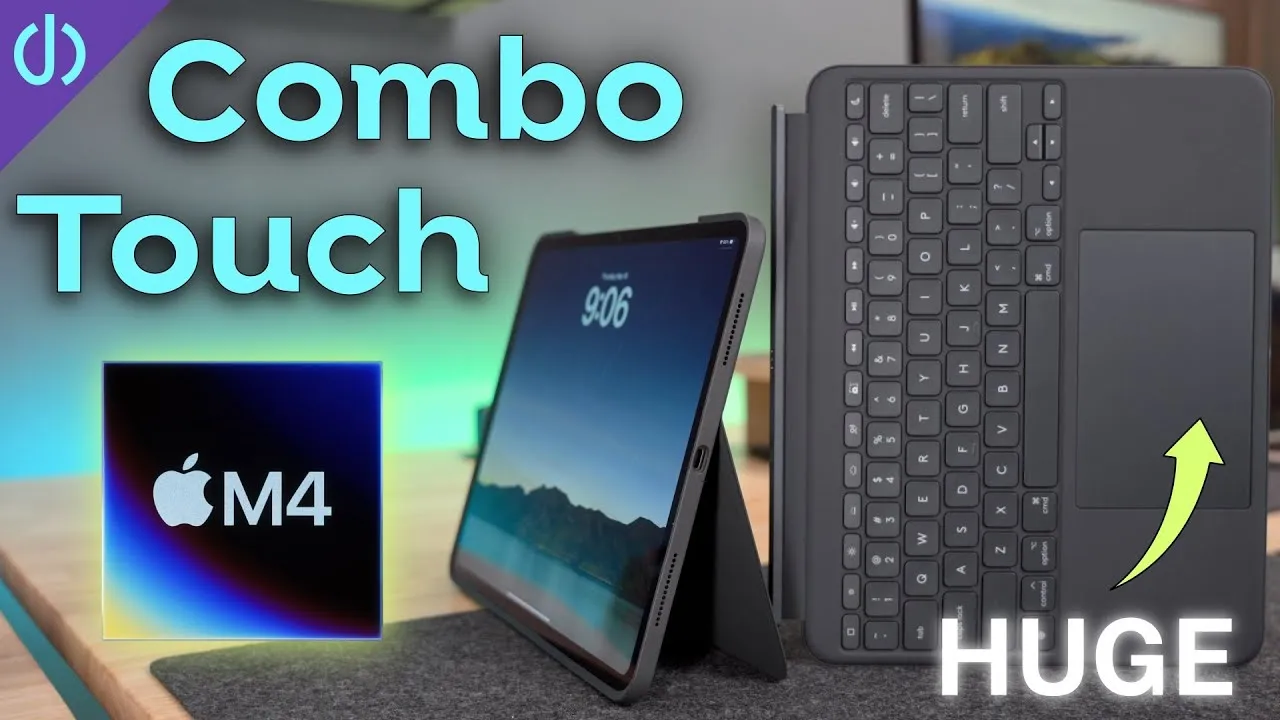
This is the new Logitech Combo Touch keyboard case for the 2021 iPad Pros (11 and 12.9-inch). Logitech has made a number of cases, mostly for the smaller 11-inch iPad Pro, and this is the first Logitech keyboard case with a built-in trackpad for the 12.9-inch iPad Pro.
What’s new
The new generation can separate the case from the keyboard, the first time you can completely disconnect the keyboard from the rest of the case. It’s two pieces, in the usual Logitech textile material, very rugged, almost jean-like, easy to clean and durable. It uses the iPad’s Smart Connector, so the keyboard is powered by the iPad’s battery. The keyboard connects to the case with magnets and pogo pins, aligns quickly, snaps well and holds unless you pick the case up by the keyboard with the iPad in it.
It comes in 12.9-inch and 11-inch versions, and the 11-inch version works with all previous 11-inch iPad Pros (first, second and third generations).
Compared with the Folio Touch
The Folio Touch for the 11-inch iPad Pro has a built-in kickstand and a flap that holds the Apple Pencil, then pops down to reveal the keyboard. The Combo Touch looks extremely similar, which is good, because the Folio Touch is very good; my one issue is that it has a smaller keyboard and trackpad. The new 12.9-inch version has a full-size keyboard and trackpad.
To install the iPad, align the pogo pins and camera and push it in: rubber pieces around the sides hold it snugly, so you shouldn’t worry about losing it.
Keyboard and function row
The best thing about Logitech keyboards is the full function row: Home, screen brightness, keyboard backlight brightness, play/pause, mute, volume, the virtual keyboard, search and lock. The keys feel really good, almost as good as the Magic Keyboard and slightly better than the Folio Touch (maybe because they’re bigger). Typing on the Magic Keyboard afterward feels surprisingly similar.
Using it as a tablet
With the Magic Keyboard, you can’t flip the iPad around into tablet mode (on the 11-inch you can fold the back around). With the Combo Touch, you can fully disconnect the keyboard to cut weight and still have a built-in kickstand, to prop it up for a movie or to use a PlayStation or Xbox controller for a mobile shooter. You can also flip the keyboard around and fold it back, so it’s attached to the case with the keys hidden, giving the iPad a nice resting area.
The top has cutouts for the speakers and mics, a power button and volume buttons. There’s a spot for the Apple Pencil, but unlike the Folio Touch, there’s no flap, so you could still lose it in a bag. The bottom has cutouts for USB-C and two speakers, plus the magnets and pogo pins for the keyboard.
After a few minutes, the case is very good: not thick, not overly bulky, and protective against scratches and small bumps. I wouldn’t mind if Logitech made a version without the keyboard, since the kickstand is super handy for regular tablet users: you can go all the way back to draw or type on the on-screen keyboard, or adjust the angle to reduce glare.
Trackpad
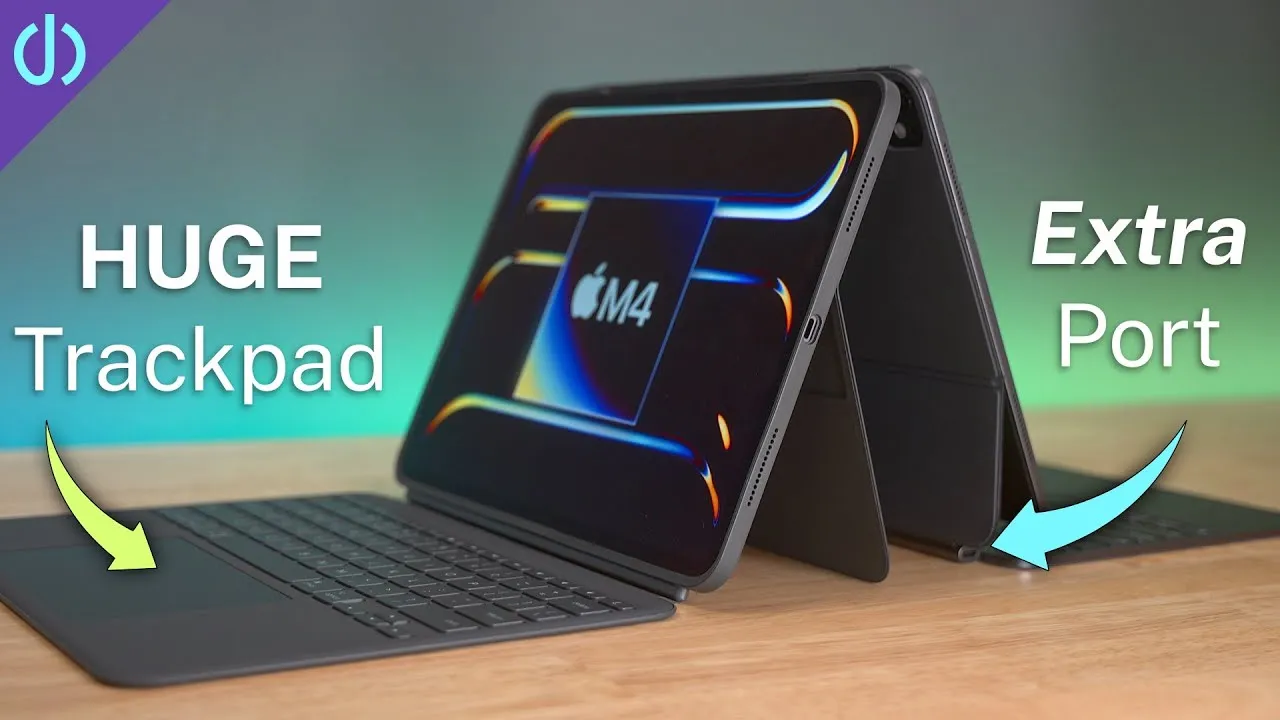
Like the Magic Keyboard, you wake the iPad with a key or the trackpad, a three-finger swipe up lets Face ID read your face, and gestures work the same (two-finger swipe between home screens, three-finger swipe between apps, three fingers up for multitasking). You can click anywhere on the trackpad like on the Magic Keyboard, and it’s bigger, so it feels a little better.
Why choose it over the Magic Keyboard?
- It’s cheaper: $229 (12.9-inch) vs. $350. The 11-inch version is $199.
- A full row of useful function keys, instead of digging into menus.
- A much better, more durable material. (I have a skin on my Magic Keyboard because it picks up grime and oil.)
- A kickstand with far more angle adjustment.
- A detachable keyboard: full tablet mode without the extra weight and bulk.
It was available the day I got mine. Do you prefer this style with the detachable keyboard over something like the iPad Magic Keyboard?
Links
- 11” iPad Pro
- 12.9 iPad Pro
- 12.9 5th/6th gen
- Logitech Combo Touch 12.9
- Logitech Combo Touch 11
- Logitech Folio Touch 11
- Apple Magic Keyboard 11
- Apple Magic Keyboard 12.9
- UNLIMITED Cloud Backup for your Mac with Backblaze
- Apple Pencil 2
- Magic Keyboard for 11” iPad Pro and Air 4
- SopiGuard for 11
- iCarez Matte Screen Protector 11”
- AirPods with Wireless Charging Case
- AirPods Pro
- Samsung T7 SSD
- AnkerUSB-C to USB 3.0 Adapter
- Apple Magic Mouse 2 Grey
- Apple Magic Trackpad 2 Grey
- Andobil USB-C Hub
- XBOX Controller
- Apple Lightning to USB3 Camera adapter
- Apple USB-C Digital AV Multiport Adapter
- Apple Magic Mouse 2 White
- Apple Magic Trackpad 2 White
- Yoassi Tripod Mount for iPad
- Amazon Basics 60” tripod
- Manfrotto Pixi Mini Tripod
- If this was helpful I have a tip jar
- Sony A6400
- Primary Lens Sigma f1.4 16mm
- Secondary Lens Sony f2.8 16-55MM G
- Sennheiser MKH-416 mic
- Zoom F6 recorder
- Rode VideoMic NTG
- iPad Pro 12.9
- Used DJI OSMO 3 Gimbal for some shots
- Tascam DR-10L Audio Recorder with Lav
Some links in this post are affiliate links, which means that if you click on one of the product links, I may receive a small commission. See my ethics statement.