Logitech Combo Touch for M4 iPad Pro! BIG changes!
The new Magic Keyboard is a big part of why the M4 iPad Pro is rocking the world right now. But there are reasons you might not want it, and that’s where the Logitech Combo Touch comes in. Logitech has made these case-and-keyboard combos for years, and like the Magic Keyboard, it keeps getting better.
A new material
The packaging isn’t nearly as nice as Apple’s, but it’s not bad. It comes in two pieces: the case and the keyboard.
Right away, it looks more premium than older Combo Touches. Those used a rough, denim-like fabric that was pretty durable; my wife used one for a couple of years, and my daughter’s has held up well. This one switched to a soft-touch, rubbery, matte material that feels basically the same as the Magic Keyboard’s. I’m not sure I like that.
Inside the case there’s no microfiber lining, just plastic, with the pogo pins and cutouts for the speakers and ports. The keyboard has an aluminum slab on the bottom that looks nice and gives it a premium feel, but the rubbery material covers the part you’ll touch most.
Putting the iPad in
With the 10th-generation iPad’s Combo Touch, the rubber was so stiff I could barely get the iPad in, which was really frustrating. This one went in much more easily: start at a corner and push along the edges until it snaps in.
It’s lighter than the previous iPad and Combo Touch, and unlike the Magic Keyboard, which just pops on with magnets, it actually protects against bumps and dings on a table or in a bag. The keyboard snaps on at the bottom with a nice click and holds tight. Pulling at an angle makes it easier to remove. Folded up, it’s thinner and lighter than the previous iPad and Magic Keyboard, and feels aligned all the way around.
Kickstand
It’s a kickstand design, like a Microsoft Surface, so you can set whatever angle avoids glare. The downside is a larger footprint than the Magic Keyboard, which is fine on a desk but not great on your lap (though the Magic Keyboard likes to flip over too).
The keyboard comes completely off, so you can use it as a tablet. Or flip the keyboard behind the iPad, where it turns off so there are no false inputs, and you won’t lose it at the airport. If you don’t like feeling the keys on the back, reverse it so the aluminum faces out.
One thing I don’t love: it’s hard to tell where to open the kickstand. There’s only a thin edge to get a fingernail under, plus a small cutout near the hinge. I wish it were more obvious.
Trackpad
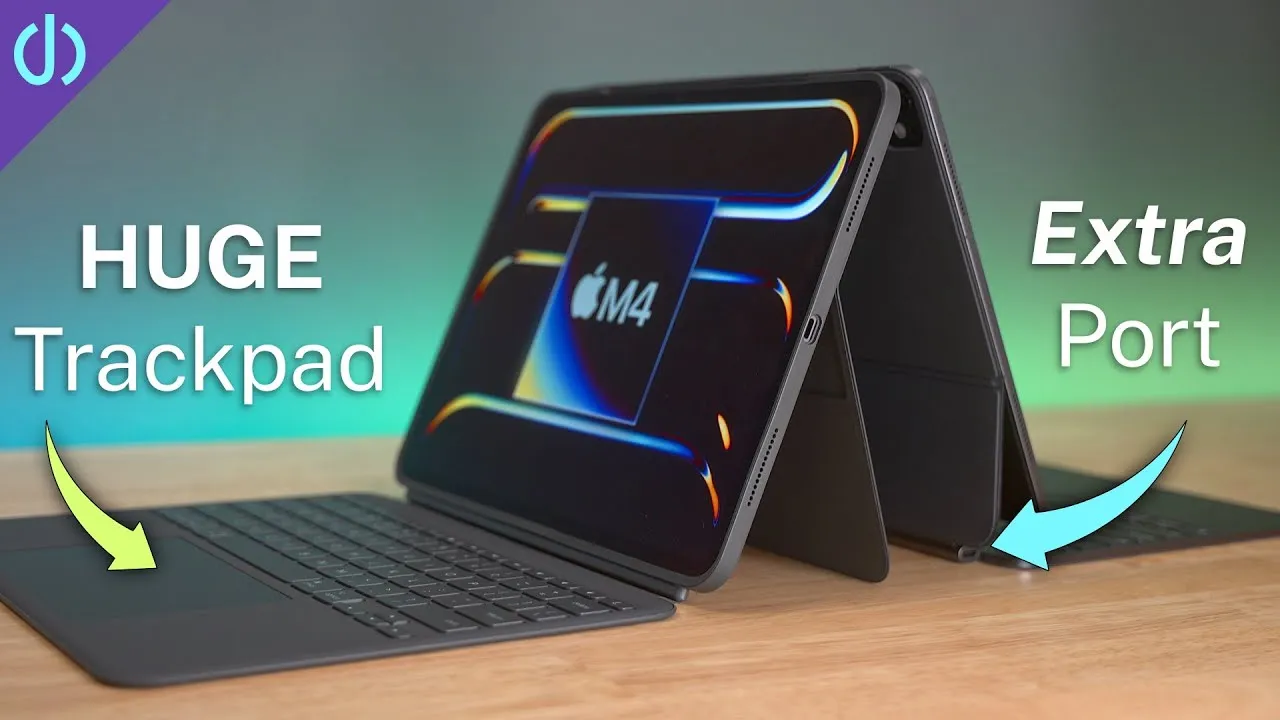
This trackpad is huge, at least 50–60% bigger than the new Magic Keyboard’s. It’s about as wide as the 14-inch MacBook Pro’s and taller; the 15-inch MacBook Air’s is still bigger. All the usual multi-touch gestures work, with lots more room. It clicks anywhere, not diving-board style. But pressing it opens quite a gap at the edge, leaving room for crumbs, dirt or sand to get in.
Keyboard
It feels very much like the Magic Keyboard. I can almost not feel a difference, which is great because I love the Magic Keyboards. The 13-inch is full size. The top row has sleep, volume, media, screenshot, Siri dictation, keyboard backlight and display brightness, plus a home key (double-tap for the app switcher).
Port cutout
Older Combo Touches had port cutouts too small for many cables:
- Apple’s braided cable from the iPad box: fits.
- UGREEN’s charging cable: fits.
- A third-party Thunderbolt cable: doesn’t fit. That’s disappointing on a Thunderbolt iPad Pro.
- Apple’s Thunderbolt cable: fits, but who wants to spend about $90 on a cable?
Most slim cables fit, but you may need a different one.
First impressions
Pretty positive. If you want a kickstand, a real case and a detachable keyboard, without Bluetooth or charging, it’s a good option, and quite a bit cheaper: $229 for the 11-inch versus $299 for the Magic Keyboard, and $259 for the 13-inch versus $349.
Links
- Buy the new iPad Pro
- Combo Touch 11
- Combo Touch 13
- new Magic Keyboard 13
- new Magic Keyboard 11
- M4 iPad Pro Full Setup and Migration!
- CalDigit is my dock partner
- https://www.threads.net/@jerryschulzeonyt
- My iPhone Art
- Grovemade Desk Mat and Knife (save 10% JERRY10)
- UNLIMITED Cloud Backup for your Mac with Backblaze
Some links in this post are affiliate links, which means that if you click on one of the product links, I may receive a small commission. See my ethics statement.