iPhone 16 Pro Max Review: Peak iPhone or Just Incremental Upgrades? 📱
The iPhone 16 Pro Max is the latest evolutionary step for the iPhone: a number of small changes inside and out, plus one big one, Camera Control. After four weeks, it feels like peak iPhone, and that kind of makes me sad.
Design and display
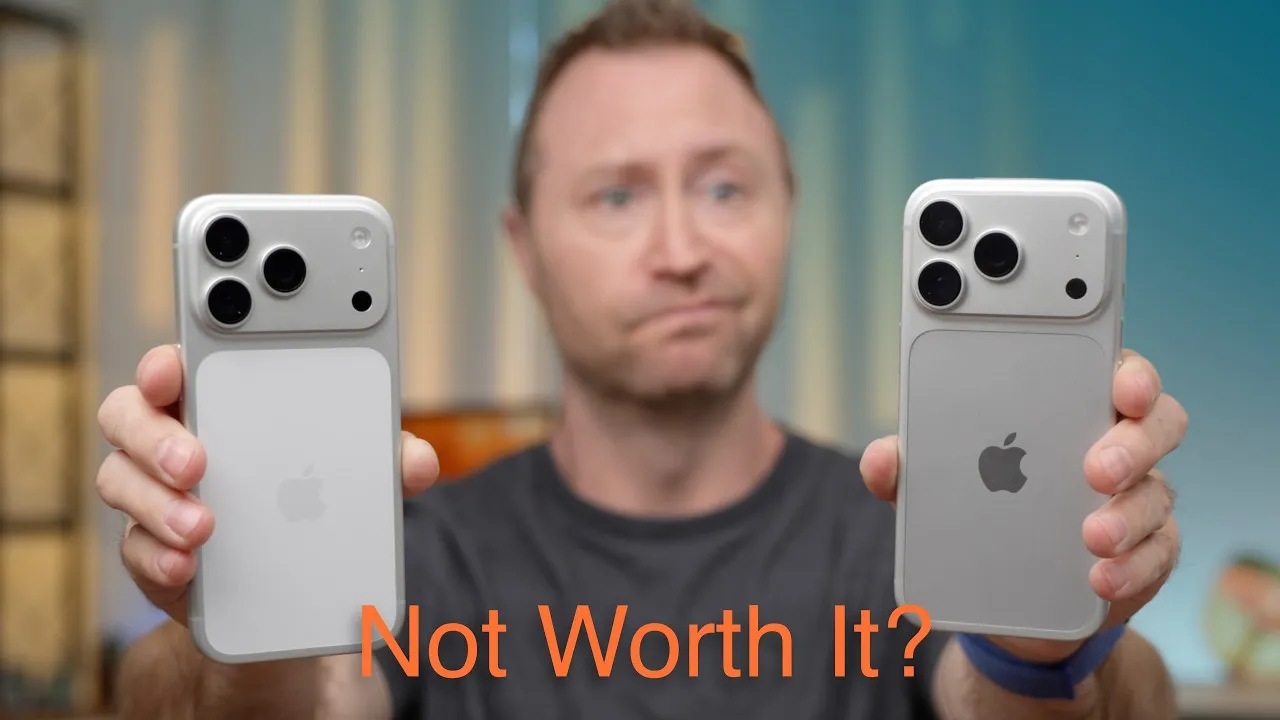
It mostly follows the iPhone 15 Pro design. The titanium band now has a flatter, slightly matte finish instead of brushed. It’s slightly taller and wider, with a 6.9-inch display (up from 6.7) and ever so slightly smaller bezels. It reaches 2,000 nits outside, 1,600 nits for HDR, and 1,000 nits normally, and it can now go down to 1 nit, which is easier on your eyes in a pitch-black room, though sometimes it feels too dim. For the first time in a long time, the camera bump didn’t change size (yes, I measured it with calipers).
A couple of years ago this would’ve been called the iPhone 15s Pro Max. Side by side you can feel the size and weight difference, but in daily use it feels the same as a 15, 14 or 13 Pro Max: just as large and kind of annoying to use.
Battery
Battery life has been incredible. Apple says it’s the longest-lasting iPhone, and that matches my experience. One Monday I had 9 hours 23 minutes of screen-on time plus 10 hours idle and used basically the whole battery. On more typical days of 3–5½ hours of screen time, plus lots of streaming video and live audio, I still go to bed with 25% or more.
I charge it every night to 100%. My 15 Pro Max is at 90% maximum capacity after a year and 267 cycles. Honestly, I wish Apple didn’t even show maximum capacity; it just makes people anxious about a part that wears out. What matters is getting through a full day, and I do, even with heavy use.
Charging is up to 25 W MagSafe and 30 W wired, and it supports Qi2. UGREEN sponsored this video, with its Uno charger line.
Speakers
The speakers are a little quieter than the 15 Pro Max’s and much quieter than the 14 Pro Max’s, which measured a few dB louder. In the shower, sometimes it’s not as loud as I’d like.
Wi-Fi 7 and a Wi-Fi bug
Yes, it has Wi-Fi 7, though Apple uses 160 MHz channels rather than the full 320 MHz, so you can’t hit Wi-Fi 7’s maximum theoretical speed. But you’ll never benefit from multi-gigabit Wi-Fi on a phone anyway: websites load at a few megabits per second, streaming at maybe 50, and even big file services top out at a few hundred. The only exception is moving huge files to a computer or NAS on a fast network.
The real problem: walking around my house between access points, it drops Wi-Fi and stays on 5G for a long time, so streaming radio and video drop out. My 15 Pro Max and 14 Pro Max don’t do this, I spent hours troubleshooting my UniFi network, and others report the same thing, still not fixed in iOS 18.1. Settings → General → Transfer or Reset iPhone → Reset → Reset Network Settings seems to have helped so far.
A18 Pro
Apple says it’s about 15% faster than the A17 Pro with up to twice the ray-tracing performance. I can’t feel a difference in anything I do. iPhone chips have been so fast for so long that you’ll barely notice it coming from a 13, 14 or 15.
Cameras
The camera is one of the biggest reasons I upgrade every year, but I’m a point-and-shoot person, not someone who tweaks exposure and shadows on the fly. New this year: 4K 120 fps slow motion, spatial photos for Vision Pro, a 48 MP ultra wide, new Photographic Styles, and Camera Control.
- Photographic Styles: I set a default (Amber, with the slider adjusted, based on what real pros suggested) so every photo gets it, and I can change it later.
- 4K 120 slow motion is actually pretty good. I’ve used it for product B-roll.
- 48 MP ultra wide: I have a hard time seeing any difference from the old 12 MP, even zoomed in.
- 5× telephoto is great, the same tetraprism lens as the 15 Pro Max, now on the smaller Pro too.
Camera Control
In a month, I’ve almost never naturally pressed Camera Control to open the camera. There are so many other ways, and muscle memory wins.
And I’ll just say it: I’m not a fan.
- As a shutter, it takes more force than you’d think, so I tilt the iPhone slightly when I press it. In good light I haven’t gotten blurry photos, but it changes my framing.
- The half-press is finicky. Finding the right force feels alien, especially double light-pressing to change options, and swiping feels inconsistent, too slow then too fast.
- It’s a little too far from the edge, so you have to move your hand around.
- The on-screen controls are just easier for zoom and settings, and don’t move the phone.
It feels like Apple added hardware for the appearance of something new. I’ve probably pressed it accidentally picking the phone up more often than on purpose. I’m glad Apple tries new things; I just don’t think this one hit the mark. Visual Intelligence is coming to it later, which might make it more useful.
Apple Intelligence
The first features (writing tools, message and notification summaries, Clean Up in Photos) arrive next week. I’ve used the beta for weeks and it still feels like a beta, but I’m bullish on Apple Intelligence and the new Siri.
Verdict
For years, Pro meant faster, better, prettier. As Apple adds features aimed at pro photographers and videographers, they don’t really cater to me. If Apple is adding buttons just to try something new, maybe we’re at peak iPhone hardware and should expect spec bumps each year. That’s okay, but I miss when every iPhone release was exciting. Maybe AI software will bring the excitement back.
Links
- Ugreen UNO Charger 100W(20% OFF)
- Ugreen Uno 2-in-1 Magnetic Wireless Charger 15W(30% OFF)
- Ugreen UNO Series
- Ugreen Official Store
- iPhone 16 Full setup and Migration
- Get the iPhone 16/Pro/Max
- CalDigit is my dock partner
- https://www.threads.net/@jerryschulzeonyt
- My iPhone Art
- Grovemade Desk Mat and Knife (save 10% JERRY10)
- UNLIMITED Cloud Backup for your Mac with Backblaze
In this video
Some links in this post are affiliate links, which means that if you click on one of the product links, I may receive a small commission. See my ethics statement.