iPhone 16 - OK...
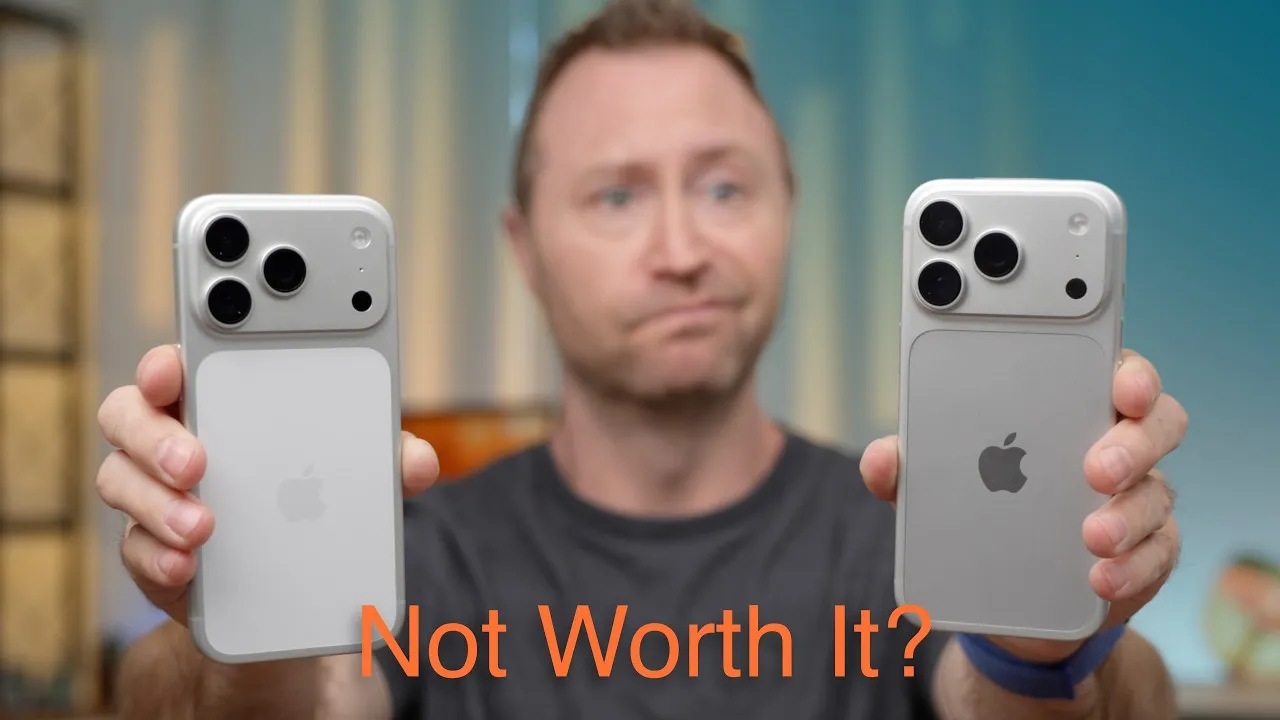
It’s Apple event day, and Apple just announced the iPhone 16 and 16 Pro. The iPhone 16 gets a slight design change with a new camera layout, while the 16 Pro looks almost identical to the 15 Pro. Here’s what’s different, and whether you should upgrade.
iPhone 16 Pro
You’ll be hard pressed to find a design difference from the 15 Pro. The titanium frame has a new micro-blasted texture instead of brushed. White, Black and Natural carry over, and a new Desert finish replaces last year’s blue.
The other change you’ll notice is Camera Control, below the side button where the Ultra Wideband window was. You can use it to bring up AI tools, like learning more about a restaurant in front of you or what kind of dog that is, and slide your finger to adjust things like aperture or zoom. Interestingly, it’s a tactile switch that actually moves, unlike what the rumors said, and touch-sensitive on top.
This is the second year in a row Apple added a button to the side, and I’m not sure how I feel about it. I was excited about the Action button on the 15 Pro, but mine has really turned into a flashlight button. I use it regularly, but I’m disappointed overall; I thought I’d use it for much more. With Camera Control’s placement, I worry I’ll open the camera or the AI assistant by accident pulling the iPhone out of my pocket. Apple does a good job with palm rejection on trackpads and iPads, so maybe it’s nothing. I’m excited to try it.
Cameras: the main camera is still 48 MP, now called a Fusion camera because it crops into the sensor for different focal lengths, like the 15 Pro did. The ultra wide moves up to 48 MP, nice for wide-angle and macro shots. And both Pro sizes get the 5× tetraprism zoom, which is awesome. I use it all the freaking time on my 15 Pro Max, especially at my daughter’s volleyball games, to capture faces instead of blobs running around a court.
A18 Pro: a 6-core CPU, 6-core GPU and 16-core Neural Engine on a second-generation 3-nanometer process. Apple says up to twice the ray-tracing performance of the 15 Pro, up to 15% faster CPU, and up to 20% less energy. Apple rates the 16 Pro Max for up to 33 hours of video playback versus 29 on the 15 Pro Max. That number doesn’t mean much, but more battery is what we all want.
A new video encoder enables 4K 120 fps, a feature everybody’s wanted for high-frame-rate slow motion. I’m not sure whether you’ll still need external storage for 4K log footage. Apple also said USB 3 speeds are faster, whatever that means.
iPhone 16 and 16 Plus
- Design: a new vertical camera layout, kind of like the iPhone 12, in Ultramarine, Teal, Pink, White and Black, plus Camera Control.
- Display: about the same as the 15, with a new Ceramic Shield Apple says is 50% tougher. Up to 1,000 nits normally, 1,600 for HDR and 2,000 outdoors. A great screen, other than still being 60 Hz.
- Cameras: the 48 MP Fusion main camera with its 2× crop, and an ultra wide that lets in up to 2.6× more light and now does macro, which used to be Pro-only.
- A18: a 6-core CPU, 5-core GPU and 16-core Neural Engine. Apple says it’s about 30% faster than the iPhone 15, with 17% more memory bandwidth to help with Apple Intelligence.
Both models have new thermal designs for better sustained performance (up to 30% on the 16, and I think 20% on the 16 Pro).
That’s the bulk of what’s new, and it doesn’t feel like a lot. Some new recording features look cool, though some, like voice layering in Voice Memos, feel niche.
Apple also announced a new MagSafe charger that, for some reason, took four years to get a 2-meter cable. It charges at up to 25 W with a 30 W or higher power adapter.
Should you upgrade?
- Want Apple Intelligence this year and beyond? Think about upgrading.
- iPhone 13 or older? You’ll see pretty decent speed gains.
- iPhone 14 or 15, and not worried about Apple Intelligence? You won’t see a big jump, unless you play AAA games that need hardware ray tracing.
- iPhone 12 with a battery that really sucks? Probably time.
- Tired of dongles for video out or SSDs? Maybe it’s time for USB-C.
For a lot of you, if your phone is fast enough, gets you through the day, and you don’t care about Apple Intelligence (most of which won’t arrive for a while), stick with what you have for now.
CalDigit sponsored this video, with its TS4 Thunderbolt dock.
Links
- CalDigit’s docks and hubs (sponsored)
- CalDigit TS4
- CalDigit Element Hub
- CalDigit SOHO
- Combo Touch vs Magic Keyboard for M4 iPad Pro!
- CalDigit is my dock partner
- https://www.threads.net/@jerryschulzeonyt
In this video
Some links in this post are affiliate links, which means that if you click on one of the product links, I may receive a small commission. See my ethics statement.