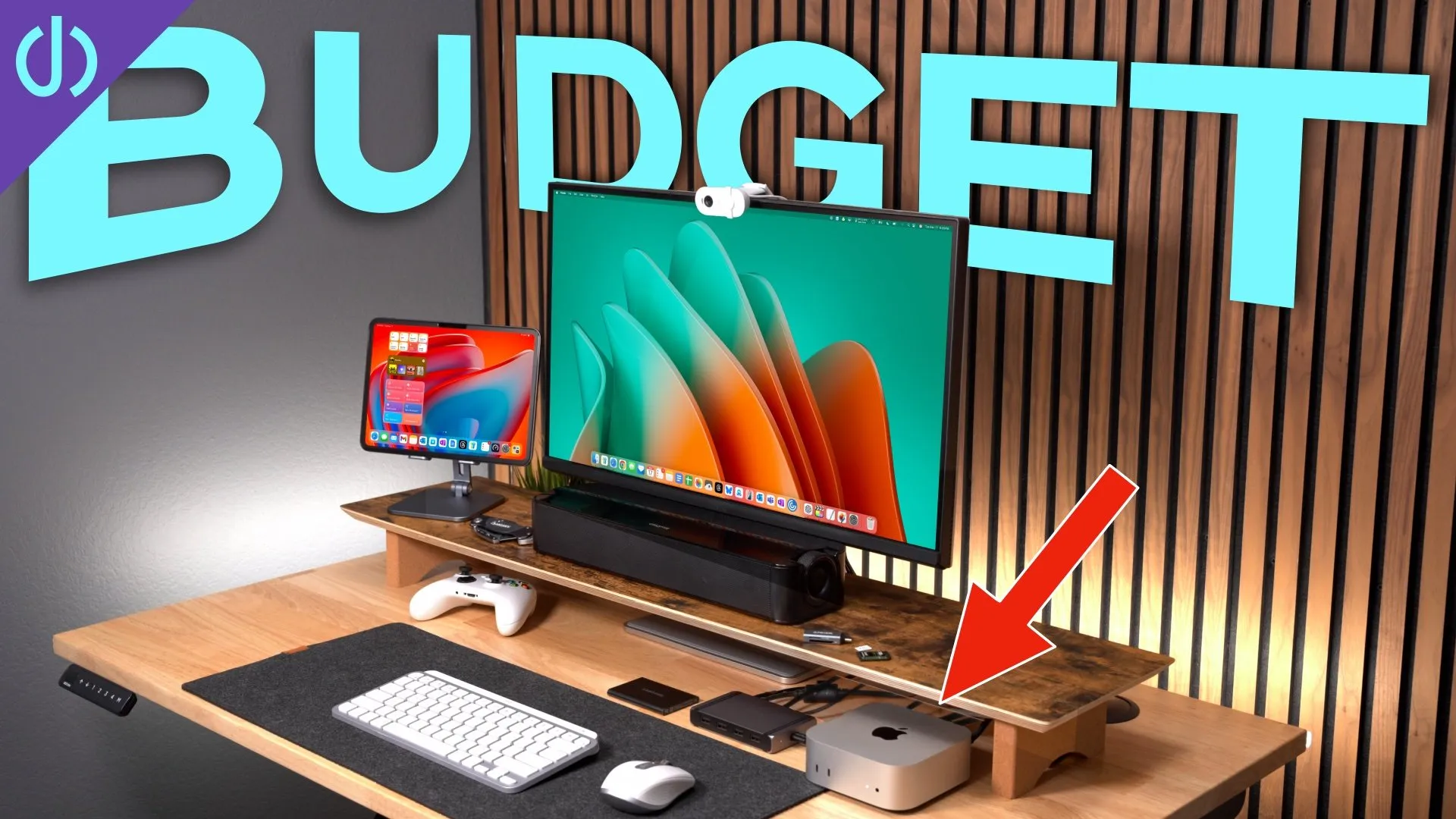
Best Accessories for the M4 Max MacBook Pro: Desk Setup Essentials! 🔌
I spend 30 to 60 hours every week in my office, and my desk needs to handle my regular day job, making YouTube videos, and all my personal computing. With the new M4 Max MacBook Pro I made a couple of changes, so here’s how the desk is set up now.
This video was sponsored by CalDigit.
The desk
I’m using an Uplift L-shaped standing desk with a 72 × 78 inch solid rubberwood top. It’s big enough for my regular work setup and for YouTube testing; I just rotate my chair to switch between them. Uplift desks are great and have a ton of options, but they’re expensive. I’ve also used a couple of standing desks from FlexiSpot, which are much cheaper and come in a lot of top styles: wood, glass, or laminate.
The MacBook Pro, and why it sits open in front of me
Everything is built around the 14-inch M4 Max MacBook Pro: 16-core CPU, 40-core GPU, 64 GB of memory, and a 2 TB SSD, with the nano-texture glass, which makes a huge difference in bright rooms or outside. This thing is an absolute beast.
I use the laptop open, directly in front of me, instead of a separate keyboard and mouse. Using the MacBook’s keyboard and trackpad this way has actually relieved the repetitive strain injury in my elbow. My hands stay in a more neutral position, I don’t rotate my wrist reaching for a mouse, and I can scroll with different fingers, or my whole other hand, to spread out the strain. My neck is happier too, because I’m looking up and down instead of side to side across big displays.
If you want to replicate that with a Mac desktop, or a MacBook in clamshell mode in a Twelve South-style vertical stand, I found the Magic Tray on Etsy. It holds the Magic Keyboard and Magic Trackpad in a laptop-like layout, angled up, with the trackpad slightly lower than the keyboard, which eliminates the accidental palm touches I had with other versions. There are openings for the power switches and cables. Just be aware it’s 3D printed, with the textures and blemishes that come with that.
Desk mat and mice
The MacBook sits on a Grovemade wool desk mat. Grovemade sent it to me a couple of years ago and I still use it because I’ve tried other options, including wool ones from Amazon, and I always come back to it. The medium size is the perfect dimensions for my desk.
I go back and forth between the Apple Magic Mouse and the Logitech MX Master 3. I like the MX Master’s smooth-scrolling wheel. For the Magic Mouse’s ergonomics, I found a snap-on ergonomic case that keeps all of the touch features.
Desk shelf, drawer, and trays
Instead of the Grovemade desk shelf, I’m using one from a company called FGI. The top is a smooth oak laminate, the lower shelf is flat matte black, and aluminum legs tie them together. The 42½-inch version fits a 27-inch display plus speakers on both sides. The lower shelf is split into three sections about a couple inches tall, which fits a MacBook or even the new Mac mini. In the middle, I use an aluminum-and-felt drawer for a polishing cloth, a cable, and a couple of knives. On the left is an aluminum-and-walnut desk tray for flash drives and adapters.
The standout feature of the FGI shelf is the groove in the front, which is perfect for an iPad. I use it for Universal Control, Sidecar, or as a dedicated Zoom or Teams machine, separate from my Mac. It works as an iPhone stand too.
Display
It should be no surprise that I use the Apple Studio Display. It doesn’t have HDR or a high refresh rate, and yes, it’s expensive. But I’ve gone through a ton of displays in the last few months, and if you can afford it, the Studio Display is your best option for a Mac. It’s designed better than everything else, its 5K panel at 218 pixels per inch is the right size for macOS and super sharp, it’s rated at 99% P3, and its backlight and color are more uniform than most displays I’ve tested. The speakers are good enough to be your only speakers, there’s a built-in camera and mics, and you control brightness and volume from the keyboard. It usually goes on sale for around $1,300.
If you want 5K for less, the ASUS PA27JCV starts at $700. The color is pretty good, but backlight bleed can be an issue, the speakers are basically worthless, and there’s no macOS integration. If you’re OK with 4K, the BenQ MA 27-inch has really good Mac-like colors out of the box, better uniformity than the ASUS, usable-in-a-pinch speakers, and software for brightness and volume.
Speakers
On the sides are Kanto YU2 speakers. I’ve used them for years. I recently tried the Audioengine A2+ and was very disappointed. They didn’t have the range of the Kantos, so they’re going back. The YU2s are the perfect everyday desk speaker, and there’s a sub out on the back if you want more bass.
The dock
Everything plugs into the CalDigit TS4 Thunderbolt 4 dock, with 18 ports: SD and microSD on the front, a USB-A port for my mouse dongle, 10 Gb USB-C ports (one charges at up to 20 W), and on the back my computer, the Studio Display, and a 10 gigabit Ethernet adapter over Thunderbolt. My speakers connect to the rear USB-A ports. It’s the central hub of my whole workspace.
Storage
Right now I’m using the OWC Envoy Ultra, the first Thunderbolt 5 SSD. I’ve seen five to six thousand megabytes per second, and after a week it’s the fastest external SSD I’ve used in years. It beat my USB4 enclosure with a Sabrent Rocket Q in every test. It isn’t cheap, at about $600 for 4 TB or $400 for 2 TB. You can also buy a 4 TB NVMe SSD on sale plus a USB4 enclosure and get a fine external drive; it just won’t be Thunderbolt 5.
Lights, a HomePod, and cables
A Hue dial switch turns my studio lights on and off, and its ring adjusts the Hue light strip on the edge of my desk. Mostly that sits on white, just to light up the back of the desk. A yellow HomePod mini sits on the left, and honestly I just use it to turn the lights on and off. And underneath, a steel cable tray from The Standing Desk Store holds the power strips and bricks and moves up and down with the desk. I’ve tried lots of cheaper trays; this one is by far the best and easiest.
Links
- CalDigit TS4 (sponsored)
- M4 MacBook Pro
- M4 Mac mini
- Uplift Desk
- Grovemade desk mat
- Magic Mouse
- Solumics Magic Mouse Grip
- Magic Trackpad
- Logitech MX Master 3
- Magic Tray
- Asus ProArt 5K
- Samsung ViewFinity S9
- BENQ MA
- Apple Studio Display
- Fenge desk shelf
- HumanCentric aluminum desk drawer
- UPERGO aluminum and walnut desk set
- HumanCentri vertical laptop stand
- iPad Pro M4
- Kanto YU 2 Speakers
- OWC Envy Ultra TB5 SSD
- Acasis USB4 enclosure
- OWC 1M2 USB4 enclosure
- Sabrent NVME
- Samsung 990 Pro SSD
- Hue Dial
- Hue gradient light strip
- HomePod mini
- Under desk cable management tray
- CalDigit is my dock partner
- https://www.threads.net/@jerryschulzeonyt
In this video
- 0:00 a NEW 5K option
- 0:18 Desk
- 0:58 M4 Max MacBook Pro
- 1:25 desk mat
- 2:02 mice
- 2:51 open face laptop
- 3:31 Magic Tray
- 4:32 desk shelf
- 5:11 drawers
- 5:49 shelf biggest feature
- 6:24 displays
- 8:25 speakers
- 9:17 CalDigit TS4
- 10:30 external ssd
- 11:09 usb4 and nvme options
- 11:52 smart switch
- 12:04 light strip
- 12:24 HomePod mini
- 12:50 cable management tray
Some links in this post are affiliate links, which means that if you click on one of the product links, I may receive a small commission. See my ethics statement.