New M3 MacBook Pro Setup
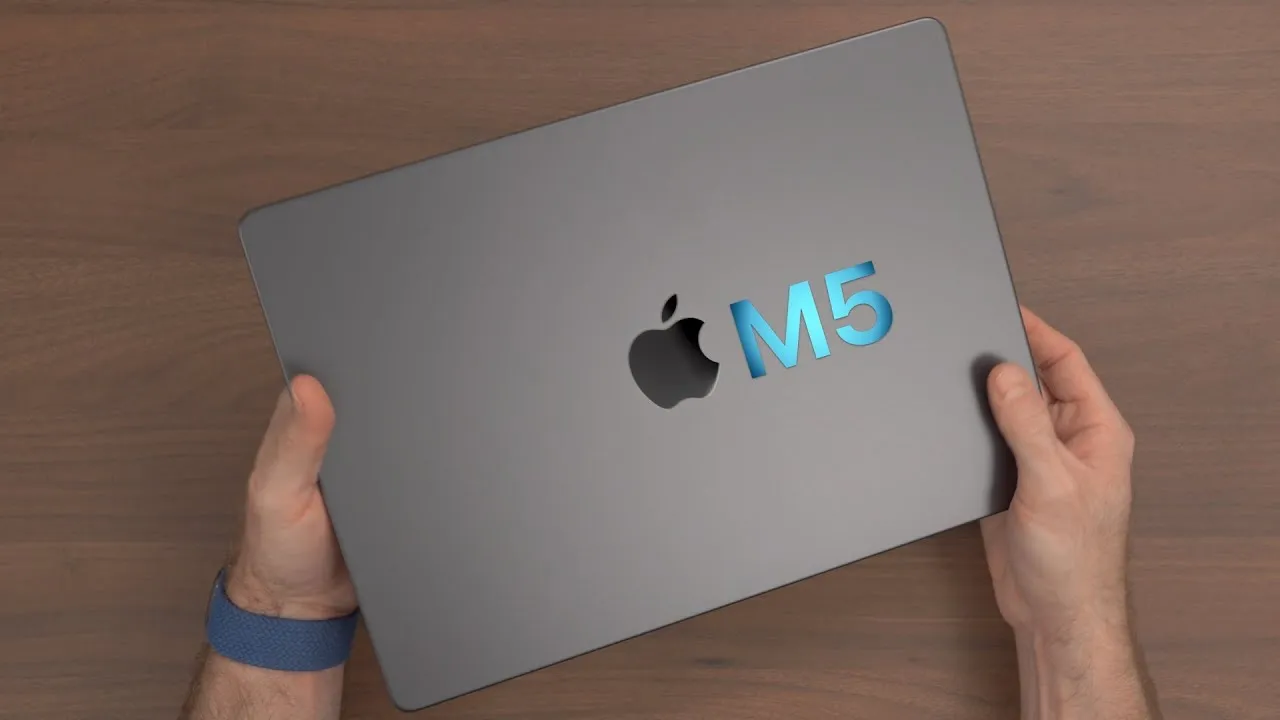
I have the new base 14-inch MacBook Pro with the regular M3 chip, 8 GB of memory and 512 GB of storage, for $1,599. Let’s go through a general overview and the setup as a new computer, run a benchmark or two, and talk about one issue I’m already having.
Overview
It starts at $1,599, which is a bit expensive, with an 8-core CPU, 10-core GPU, 512 GB of SSD storage and just 8 GB of memory. Yes, just eight.
Outside, there’s not much new; we’ve seen this design since the 2021 MacBook Pros, and honestly I wouldn’t change anything. It’s the right size for a Pro laptop. It’s Space Gray, and I’ve basically only used Silver for the last couple of years, so that’s a difference. (The Space Black version comes with the M3 Pro and M3 Max, and I’ll get that too.)
The display is the same 14.2-inch Liquid Retina XDR as the higher-end models, with adaptive refresh, now up to 600 nits in regular SDR work and 1,600 nits for HDR. It’s the best display Apple makes.
In the box
A MagSafe cable color-matched to the laptop, a little booklet, two black stickers (so you know you bought the Pro), and a 65 W charger. A 65 W charger can’t even fast-charge your new $1,600 MacBook Pro, and it’s huge for one tiny port. Wouldn’t you prefer something that can fast-charge it and all your other devices? That’s the UGREEN Nexode 300 W GaN charger, UGREEN’s first 300 W multi-port GaN charger and the biggest I’ve seen: five ports, up to 140 W for a single device (a 16-inch MacBook Pro to 56% in 30 minutes using the top USB-C port and Apple’s MagSafe cable), USB PD 3.1, two GaN Fast 3 chips, and a smart Thermal Guard system. UGREEN sponsored this video.
Setup
I set it up as a new computer. I didn’t use Migration Assistant here, since I covered migrating from one Mac to another in a recent video. The steps:
- Language and region, accessibility (skipped), Wi-Fi, and Apple’s data and privacy screen.
- Skip migration, sign in with your Apple Account so contacts, iMessage and iCloud files come over, and agree to the terms.
- Create a local user account.
- Location services (on), device and app analytics, and crash reports (I’m fine sharing these, since they help other Mac users and developers). I disabled Screen Time and skipped Siri, since I use Siri on other devices.
- FileVault disk encryption, which I recommend leaving on (it’s checked by default). It encrypts everything so someone can’t just boot it up and read your data without your password.
- Touch ID, like on iPhone and iPad. I’ll set up Apple Pay later and use light mode.
A problem
The desktop doesn’t look like macOS Sonoma: it shipped with Ventura 13.5. I’d seen reports of M3 Macs shipping with Ventura and being unable to upgrade to Sonoma. In System Settings, I only had a Safari update. Holy crap, what do I do? I’ll try to update it manually from Apple (see the separate video).
Ports
On the left: MagSafe (which fast-charges only if your charger is bigger than the 65 W in the box), two Thunderbolt 3 / USB4 ports, and a headphone jack. On the right: HDMI and the SD card slot, which I use all the time. There’s no third Thunderbolt port, so Apple is clearly differentiating the line: the base M3 supports only one external display. For more, you need a Pro or Max chip or a third-party dock with DisplayLink, which virtualizes extra displays.
Quick benchmarks
- SSD: one concern with recent base MacBooks was slow disks with a single NAND chip. This one is actually decent: about 3,300 MB/s read and write, versus about 1,600 MB/s on earlier 256 GB models.
- Geekbench 6 multi-core: 11,889, just barely behind the 10-core M2 Pro, which scores 12,149. Single-core is a pretty big boost over the M1 and M2.
- Metal: the 10-core GPU is about 24% faster than the 8-core GPU in the base M2.
The performance gains of the M3 line look significant. Otherwise it’s the same as the other 14-inch models: the same speakers, camera, microphones and trackpad.
Links
- M3 MacBook Pro ($70 off on Amazon)
- Official Store($70 OFF)
- Ugreen Nexode GaN Chargers (up to 35% OFF)
- How to setup a New Mac and Transfer all your data!
- Black hole wallpaper
- Get the Violet Sky wallpapers
- My Charging Partner: Ugreen Amazon store
- My Case Partner: Pitaka
- https://www.threads.net/@jerryschulzeonyt
- My iPhone Art
- Grovemade Desk Mat and Knife (save 10% JERRY10)
- UNLIMITED Cloud Backup for your Mac with Backblaze
Some links in this post are affiliate links, which means that if you click on one of the product links, I may receive a small commission. See my ethics statement.