iPad mini 6: A User Review 2 Weeks Later!
After two weeks, is this cute little tablet too small to do anything with? It’s the most surprising iPad I’ve ever used, and I’ve used a lot of them, starting with the very first in 2010. Of everything Apple announced last month, the iPad mini was the thing I was least interested in, but from the second I unboxed it, it started to feel like something I needed.
Holding it
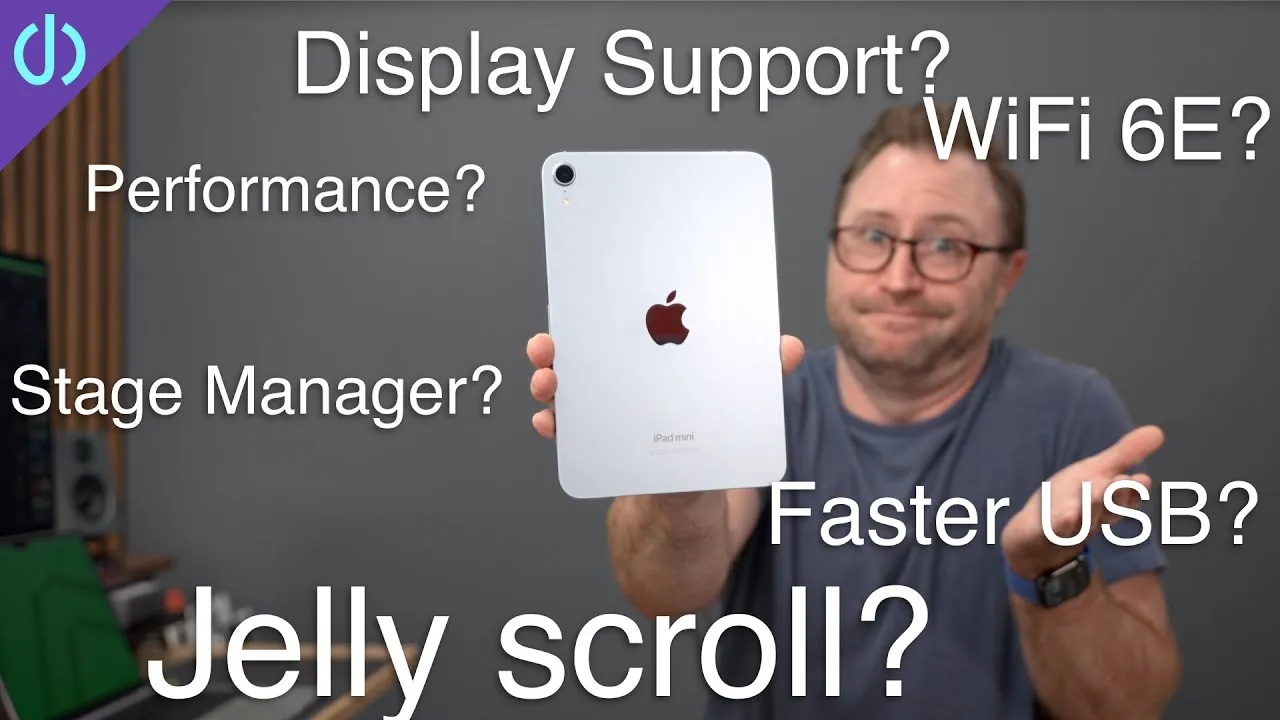
I use it on the couch, in my office, in bed and out on the patio because it’s so compact and easy to hold: roughly 8 by 5 inches and just over half a pound, the most comfortable iPad to hold in one hand. The new design matches the other iPads and iPhones, with modern flat sides that feel good. I can read, scroll news, check YouTube stats and buy things I don’t need on Amazon for long stretches. I usually use iPads with keyboard cases, which get heavy and uncomfortable, but the mini feels more like an iPhone.
I don’t like iPad on-screen keyboards (one finger in landscape, too wide in portrait), but on the mini I can type with two thumbs in portrait for URLs, searches, messages and quick emails. If you have smaller hands, you can use the split keyboard by tapping and holding the button on the bottom right and dragging up.
Display and “jelly scroll”
The laminated display with P3 colors, True Tone and 326 ppi (higher than all other iPads) looks great. Yes, there can be a jelly effect with quick scrolling in portrait mode, but if you scroll and read at a normal pace, you shouldn’t have any issues; if you read quickly enough to see jelly, you might return it. For every other person, it’s not a deal breaker.
Video
Great for movies, shows and videos: I prop it on the Apple Smart Folio on a table at lunch, a counter while making dinner, or my desk while working. The 8.3-inch display is a great size for casual watching, and at 500 nits it’s bright enough to be immersive. I pair it with AirPods Max (I picked up a pair over the summer and made a video; they keep going on sale), or use the built-in stereo speakers, which lack some bass because of their size but are loud enough to hear over something frying and kids running around.
Gaming and performance
Perfect for iPhone or iPad gamers: a larger-than-iPhone display that’s compact and comfortable. I mostly play Call of Duty Mobile; it’s the right size and weight to use on-screen controls without fatigue. The A15 (two performance cores and a four-core GPU) crushes any iPad game. If you’ll download more than a couple of large games or do 4K video, consider the 256 GB model at $649 over the 64 GB at $499. Geekbench shows only a slight gain over the Air 4’s A14, which is fine because no app can’t be handled. The chip is built for the device’s longevity, 5 years or more. Even with 4 GB of RAM, I’ve had no issues gaming or editing 4K video.
Pencil, notes and video calls
It supports the Apple Pencil 2, charging and pairing magnetically on the side. With iOS 15, you can use Quick Note by swiping from the bottom right corner. It’s great for notes in meetings, with the rear camera to quickly photograph a whiteboard or document. I type my notes, but I like to use the Pencil to sign documents and time sheets for my contractors.
The front camera is an ultra wide with Center Stage. This week my wife was out of town, and my daughter and I sat near each other at the kitchen table for FaceTime, and the camera kept us both centered. Every time I got up to get her milk or ketchup, it re-centered on her, then zoomed out to add me back when I returned.
Desk setup and Sidecar
It has no Smart Connector, but because Apple added USB-C, it can become a full desktop setup with a USB-C hub with video out, USB ports, external SSDs and SD card readers. iPadOS has limits with an external display, but with an external keyboard, mouse and display, you can edit photos and videos on a large screen, browse, multitask, or attach a controller (like an Xbox One controller). It’s also an accessory for your Mac: with Sidecar it’s a great second display on the go.
Verdict, and two complaints
It’s a super versatile little device: powerful, small enough for long use, perfect for gaming and movies. It has replaced screen time on my other devices, and, unlike my larger iPads, I haven’t used it as a laptop replacement, which makes it better. It’s just fun to use.
Two small complaints, both about buttons:
- The volume buttons moved to the top to make room for the Pencil (and the volume up button changes depending on the orientation, which is kind of neat), but I use it in portrait 90% of the time, and I haven’t gotten used to them there.
- Touch ID moved to the top power button, as on the iPad Air 4. It’s great to have a larger screen without a home button, but with Face ID on all my other iPhones and iPads, I swipe up out of habit and get stopped by a passcode. Apple still sells the iPhone 11 with Face ID for $499, so I don’t see why it didn’t make it into the mini. I hope all iPads get Face ID next year.
Can the iPad mini find a place in your workflow or entertainment?
Links
- UNLIMITED Cloud Backup for your Mac with Backblaze
- Buy the iPad Mini 6th Gen
- Apple Smart Folio Case
- *Cheaper Case Options*
- AirPods Max
- XBOX Controller
- Matte Screen Protect for iPad mini
- Samsung UR55 28” display
- CalDigit SOHO
- Apple Magic keyboard
- Apple Magic Trackpad
- Samsung T7 SSD
- CalDigit tuff-nano
- Logitech m510
- Surface Mouse
- Magic Mouse
- Apple Lightning to USB3 Camera adapter
- Apple USB-C Digital AV Multiport Adapter
- Apple Magic Mouse 2 White
- Apple Magic Trackpad 2 White
- Yoassi Tripod Mount for iPad
- Amazon Basics 60” tripod
- Manfrotto Pixi Mini Tripod
- 2020 iMac
- Bamboo Monitor Stand
- CalDigit SOHO
- CalDigit TS3
- Samsung X5 Thunderbolt SSD
- OWC 32 GB Kit (2x16GB) for 2019-2020 iMac
- MX Master 3 Mouse
- Satechi Magnetic Charger 2-in-1
- BenQ ScreenBar
- Kanto Yu2 Speakers Matte Gray
- Apple Magic keyboard
- Apple Magic Trackpad
- MX Master 3 Mouse
- Desk Mat Moko PU Leather
- MacBook Pro M1
- Samsung UR55 28” display
- MountUP Monitor Arm
- If this was helpful I have a tip jar
- Sony A6400
- Primary Lens Sigma f1.4 16mm
- Secondary Lens Sony f2.8 16-55MM G
- Sennheiser MKH-416 mic
- Zoom F6 recorder
- Rode VideoMic NTG
- iPad Pro 12.9
- Used DJI OSMO 3 Gimbal for some shots
- Tascam DR-10L Audio Recorder with Lav
In this video
Some links in this post are affiliate links, which means that if you click on one of the product links, I may receive a small commission. See my ethics statement.