iPad Air 4 vs iPad Pro? | Which one should you get?
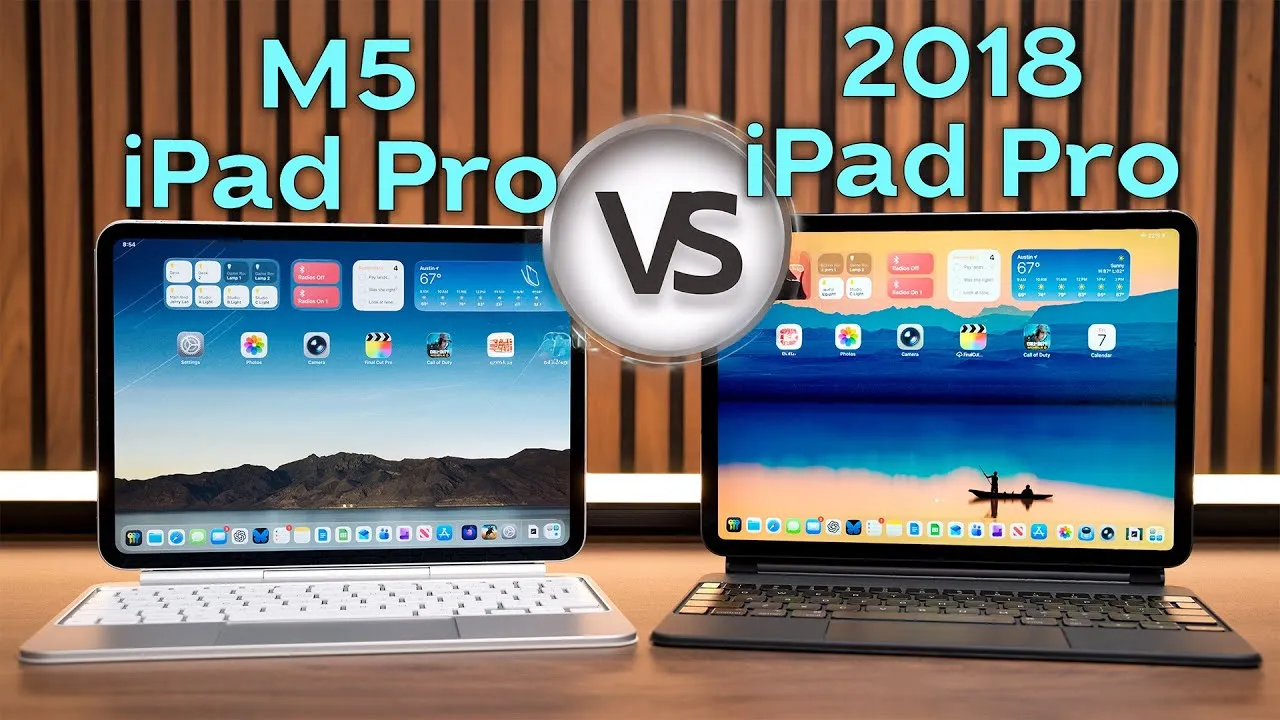
The 4th-generation iPad Air was announced this week at Apple’s non-iPhone September event, and with a number of improvements it’s a direct competitor to the iPad Pro. Which should you get? I use my 2018 iPad Pro for everything, and if it died today, I’d struggle with the same question, because each has benefits over the other.
Design and colors
Both have an all-screen design with slim bezels around a beautiful screen, flat aluminum sides angling toward the back, with the camera(s), Apple logo and Smart Connector. Holes around the edges are for speakers, the USB-C port and the power button. The only other difference I see is the speaker holes: the Air has fewer, in an uneven number on each side.
The Air comes in five colors: the new rose gold, green, sky blue, and silver and space gray. The Pro only comes in silver and space gray. “Everyone is going to want the green and sky blue” (I keep reminding myself I already have an iPad). I’m happy Apple is bringing colors back to everything, after iMacs, iBooks, iPod minis and nanos in all kinds of flavors and then a decade of silver and gray. Now we just need a bright blue iMac or MacBook.
Displays
Both are roughly 11 inches, “Liquid Retina,” one of the best LCDs you can find, laminated to the glass so it feels like touching pixels, with True Tone and anti-reflective coatings and the same P3 wide gamut. The differences: the Pro has 120 Hz ProMotion (nice for scrolling on a larger screen, where text looks more crisp), and the Pro is 20% brighter (600 nits vs. 500). I actually use my iPad outside, and the extra brightness helps.
Speakers and biometrics
The Pro has four speakers that adjust for stereo in landscape or portrait. The Air has two, listed as stereo in landscape (Apple’s diagrams are a little weird: the Air shows speakers covering both sets of holes on each side, but the spec says two total).
The Pro has Face ID, which I love (when I need a LastPass password, it pops up, scans my face and fills). The Air ditches the home button with Touch ID and moves it to the sleep/wake button on top. I can’t say how well it works, but based on previous Touch ID sensors, I assume perfectly, and in a COVID world it might make more sense with masks (“please wear a mask”). I’d like to see this Touch ID come to the iPhone as well, alongside Face ID.
Accessories and ports
Both work with the same accessories: Apple Pencil 2 and the Magic Keyboard (which I freaking love) are compatible with the Air. With USB-C, you can use many USB accessories for cameras, SSDs, external displays and more. I connect my iPad Pro to a display when editing with LumaFusion and use my Samsung T7 to transfer large files.
Cameras
Both have the same wide f/1.8 12 MP camera and can record 4K at up to 60 fps and 1080p at 120 fps. The Pro also has an ultra wide lens and a LiDAR sensor (as far as I know, used only for ARKit distance; tell me if you know other uses).
The processor
One of the biggest head scratchers: for the first time since the iPhone 5, an iPad got a new processor generation before the iPhone. The Air’s A14 is, Apple says, 40% faster than the A12 and 30% faster in graphics. We can’t test it against the Pro’s A12Z yet, but it has people wondering why the Air has a much better processor than the Pro. The Pro was updated earlier this year, and I assume we could see an update next spring. That makes the choice difficult: the Air has the fastest mobile chip around, costs $200 less, and gives 90% of what the Pro does, including the same accessories. The Pro gives you likely much better speakers, ProMotion, a brighter display, an ultra wide camera, better AR hardware and Face ID, for $200 more but with a slightly slower processor.
Which should you get?
- If you can wait for a new Pro, do, to see what processor it gets.
- If you want a super fast iPad without a few extras and save $200: the Air.
- If you want an iPad larger than 10.9 or 11 inches: the 12.9-inch Pro is your only option.
- If you’re smart, skip both and get the 8th-generation iPad, since you’ll be hard-pressed to find much performance difference using them as tablets.
- For me, if my 2018 iPad died today, I’d replace it with a 2020 12.9-inch iPad Pro: I want the larger screen and all the extras. I don’t think most people running most apps will notice the performance difference, including me, so ProMotion, better speakers and “just having the best device” justify the price difference.
Will you get a new Air or wait on a new Pro? See my video on using the iPad more like a laptop.
Links
- Magic Keyboard for 10.9” Air and 11” Pro
- Smart Keyboard for 10.9” Air and 11” Pro
- Apple Pencil 2nd Gen
- Samsung T7 SSD
- Follow Me on Twitter
- • The 2020 iMac Accessories I Use
- • New 2020 iMac 27” 5k Unboxing
- • 6 Weeks with the iPad Magic Keyboard | Is It Worth It?
- • Turn the iPad into a Laptop
- • iPad Pro with Magic Keyboard vs Macbook
- Sony A6400
- Rode VideoMic NTG
- iPad Pro 12.9
- Used DJI OSMO 3 Gimbal for some shots
- Tascam DR-10L Audio Recorder with Lav
Some links in this post are affiliate links, which means that if you click on one of the product links, I may receive a small commission. See my ethics statement.