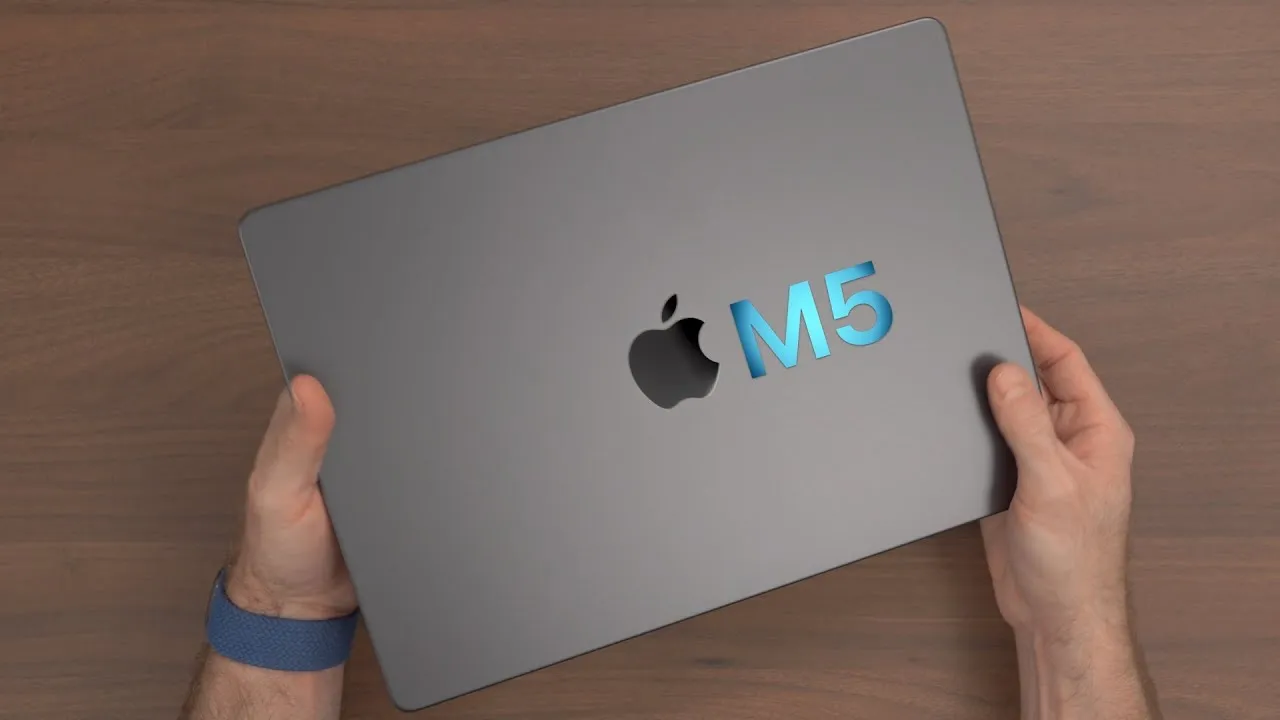
MacBook Air 15 Unboxed + Full setup and Migration! Midnight
It’s new MacBook day, and I picked up the new 15-inch MacBook Air. Here’s the unboxing, my first impressions, a full migration from Time Machine, the speakers, some benchmarks, and who it’s for.
The configuration
The base model: 8 GB of unified memory and a 256 GB SSD, with the M2 chip’s 8-core CPU and a 10-core GPU, a slight upgrade over the 13-inch base, which has an 8-core GPU. I chose Midnight, which I didn’t have on the previous Air.
Unboxing
It definitely feels larger than the 13-inch, and I’ll compare it with the 13-inch Air and the 14-inch MacBook Pro in later videos. Inside the box:
- A color-matched MagSafe cable. The first MagSafe 3 cables a couple of years ago were all silver, even for Space Gray laptops, so it’s nice that Apple matches them now.
- A dual-port 30 W power adapter, which I like for travel: plug in your iPhone and Apple Watch, or an iPad.
- Paperwork, and color-matched blue stickers.
First impression of Midnight in person: it impresses, a beautiful dark blue. I can’t believe I didn’t get one last time. It looks like the Pro laptops, and similar to the 16-inch MacBook Pro I used to have. Fingerprints will still be an issue (people had trouble wiping them off the previous version), but that’s something you live with if you want the color.
On the right: a headphone jack and nothing else (no SD card slot or Thunderbolt, unlike the MacBook Pro). On the left: MagSafe 3 and two Thunderbolt 3 ports. Inside, the full-size keyboard with a full function row, Touch ID, and the Magic Keyboard, which I love for being the same on MacBooks, the desktop Magic Keyboard and the iPad Magic Keyboard.
Unlike the 14- and 16-inch, there are no speaker grilles; the speakers are inside and fire somewhere, and this one has a new six-speaker system. It’s a bit heavier than I expected from what others said, but not as heavy as the 14-inch MacBook Pro.
Display and battery
The display goes from 13.6 inches to 15.3 inches, more real estate for your apps, without just blowing up the pixels. Up to 500 nits, P3 wide color and True Tone. The curious part: battery life is the same as the 13-inch, up to 15 hours of wireless web browsing. You’d think a bigger case and battery would give more, but maybe the larger screen draws more. Fifteen hours is more than a full day’s work.
There’s the infamous notch with a 1080p camera. Can we please get Face ID on the Mac? It’s the only thing, besides more base RAM and storage, that I really want.
The trackpad
It’s a bit shocking coming from the 13-inch Air and 14-inch Pro: almost six inches wide and nearly four inches tall. Enormous.
Migrating from Time Machine
- Select your country, skip accessibility, choose Wi-Fi, and in Migration Assistant choose From a Mac, Time Machine backup, or startup disk.
- Plug in the backup drive (mine is password-protected), choose it, and select the most recent backup, from today.
- It said my system needed an update to 13.4, so I updated first, then restarted the process.
- Choose what to transfer. My user data is 226 GB, more than the base 256 GB SSD can take, so I deselected Downloads, Parallels, Pictures (I use iCloud Photos) and my temp folder. That left 80.72 GB to transfer, with about 136 GB free afterward.
- Set a password for the account and agree to the terms.
The migration took about 10 minutes or less for 80 GB over a USB4 drive, an NVMe SSD in an external USB4 enclosure (you can get different sizes). Then I signed in to iCloud, turned on disk encryption, set up Touch ID, and left Apple Pay for later.
Who it’s for
The regular, everyday person who just needs a Mac to get things done. My recommendation for a lot of people is not to get the base model: if you plan to keep it five to seven years, or increase your workload over the next year or two, get at least 16 GB of memory, and ideally a 512 GB SSD. A 15-inch display will work for a lot of people: a nice upgrade from the 13-inch if your eyesight isn’t what it was and you want things larger without losing space, or you run many windows at once.
Side by side with the 13-inch, with Safari maxed on both, the 15-inch shows more of the page, like four stories on The Verge versus three.
Speakers and benchmarks
The speakers are louder than the 13-inch’s (six versus four, with force-canceling woofers and a tweeter on each side), but still muffled and pretty flat, with no front grille to let the sound out. For a 15-inch Air starting at $1,299, you can’t expect 14- or 16-inch MacBook Pro audio, but music, videos and movies are fine.
- Geekbench 6: 2,607 single-core and 9,812 multi-core, in line with the regular M2 Air (the multi-core a little lower, which fluctuates for a new computer indexing in the background).
- GFXBench Aztec 4K off-screen: 47.8 fps, versus about 39 on the 13-inch M2 with 8 GPU cores, and well below the M2 Pro and Max.
You no longer need to spend $2,500 for a large-screen Mac laptop. There are probably discounts on Amazon already.
Links
- Get the 15” MacBook Air!
- NVME drive
- USB4 Enclosure
- MacBook Air 15- Skip the base model
- M1 Air in 2023?
- Grovemade Mat and Knife (save 10% JERRY10)
- My iPhone Art
- UNLIMITED Cloud Backup for your Mac with Backblaze
- My Desk Mat (save 10% JERRY10)
- Best Laptop
- Best iPad
- Mac Studio
- Studio Display
- Bamboo Monitor Stand
- Synology NAS
- RocketQ NVME SSD
- ACASIS NVME enclosure
- OWC Envoy Pro FX SSD
- Logitech MX Keys Mini
- Apple Magic Trackpad
- Logitech MX Master 3
- AirPods Max
- AirPods Max Stand (ETSY)
- Kanto YU2 Speakers
- Satechi Magnetic Charger 2-in-1
- My Camera
- Secondary Lens
- Sennheiser MKH-416 mic
- Zoom F6 recorder
- Rode VideoMic NTG
- Used DJI OSMO 3 Gimbal for some shots
- Tascam DR-10L Audio Recorder with Lav
In this video
Some links in this post are affiliate links, which means that if you click on one of the product links, I may receive a small commission. See my ethics statement.